Piktochart Templates Banners / Twitch
Free Twitch Banner Templates
Elevate your streaming profile and nail your branding with our free Twitch banner templates. Start with a template, customize one in our editor and download it in different formats within minutes. Spend less time designing and more time growing your audience.
Twitch Banner
 Twitch
White Twitch Banner
Twitch
White Twitch Banner
 Twitch
Red Twitch Banner
Twitch
Red Twitch Banner
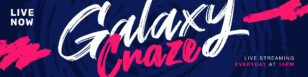 Twitch
Live Stream Banner
Twitch
Live Stream Banner
 Twitch
Cool Twitch Banner
Twitch
Cool Twitch Banner
 Twitch
Free Twitch Banner
Twitch
Free Twitch Banner
 Twitch
Currently Offline Twitch Banner
Twitch
Currently Offline Twitch Banner
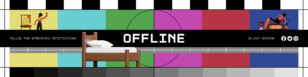 Twitch
Stream Is Offline Twitch Offline Banner
Twitch
Stream Is Offline Twitch Offline Banner
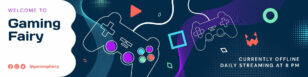 Twitch
Aesthetic Twitch Banner
Twitch
Aesthetic Twitch Banner
 Twitch
Cute Twitch Offline Banner
Twitch
Cute Twitch Offline Banner
 Twitch
Black Twitch Banner
Twitch
Black Twitch Banner
 Twitch
Purple Twitch Banner
Twitch
Purple Twitch Banner
Twitch banner templates for streamers and channels
Streaming success starts with a captivating first impression. Building a cohesive brand means getting every aspect of your Twitch channel right, including your Twitch banner. Creating one can be daunting. We’ve been there – staring at a blank canvas, unsure where to begin.
That’s where using one of our professionally designed Twitch banner templates comes in. Each template is fully customizable, allowing you to infuse your unique style while maintaining a polished look. From vibrant gaming-themed designs to sleek, minimalist options, we have templates to suit every streamer’s vibe.
The best part? You don’t need any design experience. Our intuitive editor makes customization a breeze. Simply choose a template, tweak colors, add your text, and voilà – you’ve got a professional-grade Twitch banner in minutes. It’s so easy, you might find yourself redesigning your banner as often as you change your gaming setup.
So spend less time designing and more time doing what you love – gaming and connecting with your audience. Give your channel the glow-up it deserves.
Want a Twitch banner in seconds? Try our AI banner generator — describe your channel vibe and the tool produces a banner you can polish in our editor.
Twitch Banner FAQs
What is the correct Twitch banner size?
Twitch profile banners are 1200 × 480 px; Piktochart templates use this preset so your banner displays correctly across desktop and mobile Twitch.
How do I match my Twitch banner to my stream overlay and emotes?
Pick a colour palette in Piktochart’s brand kit and apply it to your banner, overlay, panels, and emotes so your whole channel feels cohesive.
Can I add my Twitch handle, schedule, or sponsor logos to the banner?
Yes — drop in any text, your username, your streaming schedule, or sponsor logos and reposition them with a drag-and-drop editor.
Do I need design skills to create a Twitch banner?
No — start with a Piktochart template and tweak the colours, text, and graphics in minutes; no Photoshop or design experience required.
Can I create matching banners for YouTube and TikTok from the same design?
Yes — Piktochart’s resize feature lets you take one Twitch banner and instantly produce matching YouTube channel art and TikTok profile graphics.