Online Video Editor
A video editor as simple as editing a document
Upload your own videos, record your screen, generate clips with AI, or pick from the stock library. Create professional videos from one simple timeline. No learning curve needed.
No credit card needed. Works right in your browser.
Start from a template
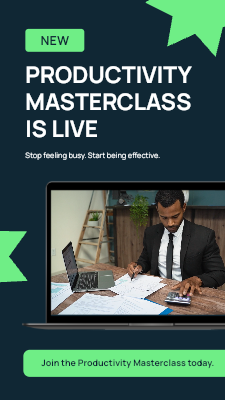
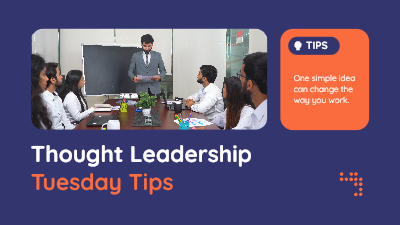
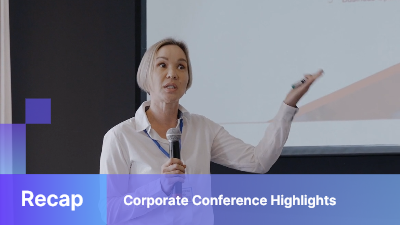
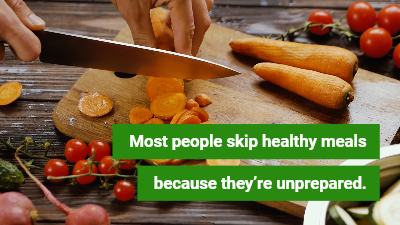
A selected few to get you started. Open one in the editor, swap in your own clips, text, and brand colors, then export. Browse the full library on the video templates page.


















Start wherever makes sense for you
A video has to start somewhere. Upload it, record it, generate it, or pull it from stock, then mix and match all four in the same project.
Upload your own videos
Bring in clips from your phone, camera, or a screen recording. Drop them straight onto the timeline next to anything else in your project.
Record your screen
Capture your screen, your webcam, or both. Good for tutorials, demos, and updates, and it lands straight on your timeline ready to trim.
Generate clips with AI
Describe the shot you’re missing in plain language and get a video clip back. No filming, no stock search, no waiting on a shoot.
Pick from the stock library
Search a built in library of licensed video, photos, and music from inside the editor, so a missing shot never stalls your project.
Built for the videos your work actually needs
From quick social posts to internal updates and training, this covers the everyday videos work actually needs. Set your brand up once, and every video after already looks like yours.
Social & marketing
Product teasers, promos, and ad clips that go out on schedule, built from whatever videos, template, or AI starter gets there fastest.
Training & onboarding
Screen record a walkthrough, add captions, and it’s ready to send, no separate recording or editing software required.
Presentations & pitches
Turn a deck or a recorded run through into a polished video pitch your team or investors can watch anytime.
Courses & lessons
Explainer videos and course lessons that reuse your brand kit once, so every new lesson already looks like the last one.
And plenty more. Sales follow ups, support answers, and launch videos all work the same way, whatever your team needs.
Everything you need to finish the video, not just start it
Instant polish, on brand
Apply a branded template for the title card, lower thirds, or outro once your cut is done, so the video looks finished without extra design work.
Text & brand overlays
Add titles, lower thirds, and callouts using your brand’s fonts and colors, saved for next time.
Resize for every platform
Use the video cropper to export the same project as vertical for Reels and TikTok, square for feeds, or widescreen for YouTube.
Sounds & music
Search a built in audio library or upload your own track, right from the timeline.
Transitions & effects
Smooth cuts, fades, and simple motion effects that keep a video watchable and polished from start to finish.
HD export, no install
Export in HD straight from your browser. Nothing to download, and your project stays saved to come back to.
The timeline editor is one part of a bigger toolkit
AI video generator
Describe a shot in plain language and get a clip back, ready to drop onto your timeline.
Screen recorder
Record your screen, your webcam, or both. Good for tutorials, demos, and updates.
Video to text converter
Every recording is transcribed in over 60 languages. Edit the video by editing the text, or pull a transcript for captions and show notes.
Video cropper
Crop and resize any video to the aspect ratio you need, square, vertical, or widescreen, without leaving the editor.
Video is one part of a bigger toolkit
The same account that edits your videos also builds your infographics, presentations, and AI generated designs, so your visual content stays consistent without stitching tools together.
A video editor built for the videos you actually have to make
Most people do not open a video editor because they want to become a video editor. They open it because a training video is due, a product update needs to go out, or a course lesson has to be ready by Friday. Piktochart’s video editor is built around that reality. Upload a video, record your screen, generate a clip with AI, or pull something from the stock library, then edit it all on one simple timeline with no learning curve.
A video editor that runs in your browser, not on your hard drive
There’s nothing to download and nothing to install. Piktochart’s editor runs online, in whatever browser you already have open, so it works the same on a work laptop, a home desktop, or a borrowed machine. Your project saves as you go and is waiting for you on any computer you log into, no exporting a project file and emailing it to yourself.
An online video editor that does not assume you already know how to edit
A lot of online video editors are built for people who already think in terms of tracks, keyframes, and export presets. Piktochart’s is built for marketers, trainers, HR teams, educators, and small business owners who need a video finished, not a new skill learned. Trim clips, add captions, layer in music, and export in HD using drag, drop, and trim controls instead of menus you have to learn first.
Turn long recordings into short, usable clips
A 45 minute webinar or Zoom call rarely needs to stay 45 minutes long. Import the recording, use the video cropper to crop it to the aspect ratio each platform needs, square for feeds, vertical for Reels and TikTok, or widescreen for YouTube, and export a set of shorter clips without editing frame by frame.
Every recording comes with an accurate transcript
Videos and screen recordings get transcribed automatically, so you can edit by editing the text instead of scrubbing back and forth looking for the right moment. The video to text converter also works on its own, useful for pulling captions, show notes, or a blog post out of a recording you already have.
Record now, edit later
Not every video starts as a file on your computer. Piktochart’s screen recorder captures your screen, your webcam, or both, and the recording lands straight on your timeline, ready to trim, caption, and export. No separate recording software required.
One place for the whole video, start to finish
Once a video is on the timeline, everything else stays in the same tab. Trim and reorder clips, resize for the platform you’re posting to, add text and brand colors, layer in music, and export in HD. There’s nothing to install and no separate app to learn, whether this is the first video you’ve ever edited or the fiftieth this month.
Whether this is the first time you’ve edited video online or you’re just looking for a faster way to create videos without opening a heavier editor, Piktochart keeps uploading, recording, generating, and editing in one simple, browser based tool. A free account is enough to edit and export, and it comes with AI credits so you can try generating clips too.
Frequently asked questions
Is Piktochart’s video editor free to use?
Yes. You can edit videos on a free account, no credit card required. A free account also includes AI credits, so you can generate clips with AI for as long as your free credits last.
Do I need video editing experience to use Piktochart’s video editor?
No. The timeline is simple by design, drag, drop, and trim, so there’s no learning curve before you make your first cut.
Can I upload my own videos?
Yes. Upload clips straight from your phone, camera, or screen recordings and place them anywhere on the timeline alongside AI generated or stock clips.
Can I record my screen directly in the editor?
Yes. Record your screen, your webcam, or both, and the recording lands straight on your timeline ready to trim and edit.
Can AI actually generate video clips for me?
Yes. Describe the scene you want in plain language and the editor generates a clip you can drop onto your timeline, trim, and combine with your other videos.
Is this an AI video generator, or just an editor?
Both. AI generation is one of four ways to start a project here, alongside uploading, recording, and stock video. For a page focused just on generating clips from a prompt, see the AI video generator.
Does the video editor include a stock video library?
Yes. A built in library of stock video, photos, and music is searchable from inside the editor, so you’re never stuck without a shot.
Do I have to build every video from scratch on the timeline?
No. A quick template edit, an AI generated starter, or a screen recording you just trim and caption all work here too. The timeline is there when you want more control, not a requirement for every video.
What can I export my videos for?
Export in the aspect ratio your platform needs, vertical for Reels and TikTok, square for feeds, or widescreen for YouTube and presentations, directly from the same project.
Do I need to install anything?
No. The editor runs entirely in your browser, so there’s nothing to download and your project is available on any computer you log in from.
Make your next video right in your browser
Upload it, record it, generate it, or pick it from the library. Then cut it together on a timeline that’s actually simple to use.
Get started