AI generated art is everywhere, so the question is: how can you use AI effectively to showcase your work?
One way to set yourself apart from the rest is to pick an unique AI art style.
For a related read, see our guide on best ai image editors.
We’ll go over the different categories of AI art styles, how you can incorporate them into your workflow, how to prompt AI to produce the best style for your brand, and recommend the best tools for generating AI art.
What Are AI Art Styles?
AI art styles are aesthetics that AI can mimic or remix based on its experience with thousands — or even millions — of images in that style.
AI doesn’t just change the colors; it understands the tiny little details that make each artwork unique, including the textures, brushstrokes, lighting, and composition that define a particular look.
For example, if you tell AI you want to be drawn in a “Studio Ghibli” style, it will create a picture where you look just like an animated character in a Ghibli movie, using specific color palettes and visual hallmarks that Miyazaki Hayao employs.

The way AI generates these art styles is that it spots visual patterns from large datasets and then replicates these patterns.
After looking at millions of images, AI recognizes how artists use shadow, perspective, proportion, and even negative space to create a specific effect.
Watercolor styles, for example, use soft gradients and bleeding edges, while cyberpunk visuals rely on neon highlights, futuristic architecture, and dramatic contrast.
By detecting these recurring patterns from training datasets, AI can imitate or remix them when you type in a prompt.
You can use different AI styles in your visuals to strengthen your storytelling, increase emotional impact, and establish a strong brand. Each style choice influences how the audience sees your brand.
After you ask an AI tool like Pikto AI to generate your AI style, you can directly use it in your presentation, social media post, or infographic, simplifying your workflow and ultimately saving you time.
Main Categories of AI Art Styles
From anime to mosaics to the Mona Lisa, there are a lot of options to choose from when it comes to AI art that can set you apart from other brands when used well.
We’ve grouped some of the more popular ones into categories to make them easier to explore.
Contemporary and Pop Culture Styles
If you want something that appeals to a wide variety of people besides traditional and classic art, contemporary and pop culture styles could be a great fit.
Contemporary and pop culture styles are inspired by anime, comics, television, Internet memes, and gaming. These styles can help brands connect with modern audiences and show that they’re in the know when it comes to the latest trends.
Anime and manga feature expressive characters, big eyes, and stylized proportions while comic book style uses bold outlines, halftone textures, and speech bubbles.
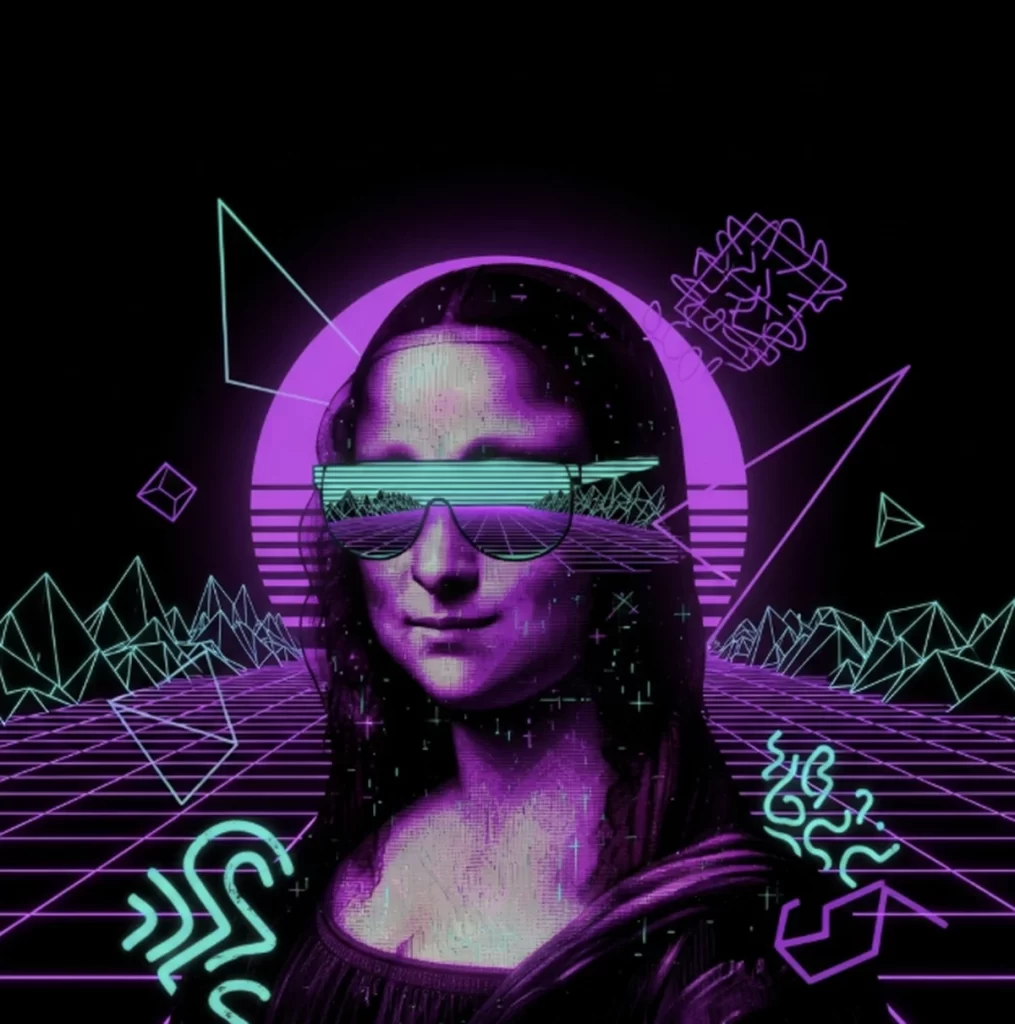
Pop art features bright palettes and repetition while cyberpunk focuses on neon lighting, dystopian landscapes, futuristic tech, and an edgy atmosphere.
Vaporware uses pastel gradients, glitch effects, and retro 80s/90s digital nostalgia.
Fantasy concept art makes use of sprawling landscapes, mythical creatures, and epic lighting in contrast to horror and gothic art, which relies on dark palettes, dramatic contrasts, and an eerie atmosphere.
If you’re looking for an anime inspired portrait, you can ask the AI to draw you an anime portrait with pigtails like Sailor Moon, or a comic book panel portrait of Mona Lisa as Wonder Woman with vintage halftone texture.
To create pop art, ask for bold colors, dotted halftone shading, and for cyberpunk vibes, request neon glows and cinematic perspectives.
For vaporware, ask for retro grid horizons and neon palettes and for horror and gothic; be sure to emphasize eerie shadows and baroque details.
You might also find our article on how to generate royalty free images useful.
Finally, for concept art, use your imagination and solicit fantastical creatures with high details.
These genres are a great fit for campaigns that need to stand out on social media or appeal to niche communities.
With Pikto AI, you can generate these pop-inspired visuals, edit them to fit your needs, and drop them directly into your workflow.
For example, your AI generated comic-style character can be your campaign mascot then reused across posters and presentation decks. Vaporwave-inspired backgrounds, a growing trend in 2025, can give your reports and brand a cohesive retro flair.
Experimenting with culturally recognizable aesthetics makes your visuals instantly relatable and Pikto AI ensures they’re ready to use in branded assets right away.
Mediums and Materials
If you don’t have a particular art style or artist in mind, you can also experiment with using different mediums and materials to make your AI art style stand out.
Oil painting, watercolor, charcoal, ink, sculpture, and mosaic are material options that AI can recreate for your needs. Each medium has its own texture and mood that you can leverage when creating visuals.
For example, oil paintings emphasize rich layers, visible brushstrokes, and dramatic light while watercolor focuses on translucent washes, soft gradients, and light bleeding edges.
In contrast, charcoal looks monochrome, sketch-like, textured, and raw while ink favors bold outlines, sharp detail, and flowing brushwork.
Sculpture looks three-dimensional and unique depending on its base material of marble, bronze, or clay while mosaic is reminiscent of tiled surfaces, geometric shapes, and intricate patterns.
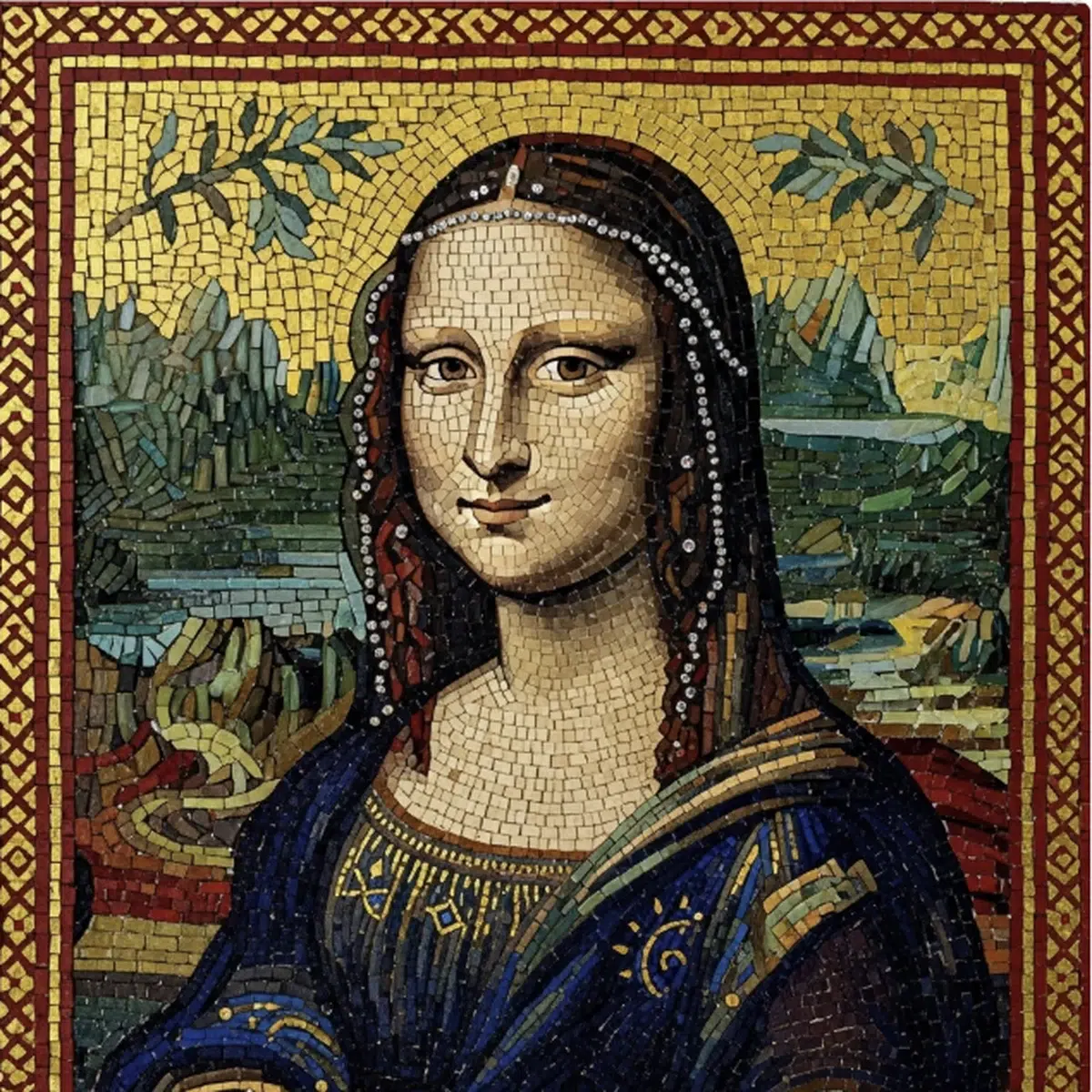
When prompting the AI, you want to make sure to emphasize the texture and surfaces you want it to create so that you can get the maximum effect from the medium in question. For the Mona Lisa style above, I asked Pikto AI to create “Mona Lisa, Byzantine-style mosaic, glass tile texture.”
For oil paintings, you can reference textures like thick impasto while for watercolor, you can ask for pastel tones and loose strokes.
If you want to prompt for charcoal style, you can request a charcoal sketch on rough paper with high contrast. For ink and sculptures, you can ask for particular styles, like Japanese ink wash for ink and neoclassical style for sculptures.
In terms of mosaic prompts, you can designate a style like Byzantine, and a texture, like glass tile.
Each material elicits a different effect for your brand.
Watercolors feel soft and approachable, perfect for lifestyle brands or whimsical illustrations. Oil painting oozes heritage and prestige, ideal for luxury branding or event posters.
Charcoal and ink sketches give a handcrafted, editorial vibe to presentations. Sculptures and mosaics add weight and permanence, great for commemorative visuals.
You can use these materials and mediums in your carousels, data visualization, and ads to bring a different feel to your visuals.
Digital Aesthetics and Modern Media
AI can also create visuals using modern media methods and digital aesthetics.
Digital painting, vector art, pixel art, 3D renders, isometric style, and low poly designs all fall under the digital aesthetics and modern media umbrella.
These styles are especially useful for creators who want sleek, contemporary visuals that look like they were made for screens, games, or futuristic branding campaigns.
Looking for more? Check out how to remove text from photos.
Digital paintings feature smooth gradients, painterly detail, and are often hyper-polished while vector art uses flat colors, clean lines, and aims for scalability without losing quality.
3D renders are hyper-detailed, photoreal or stylized, often with dramatic lighting while pixel art emphasizes the blocky, low-resolution look found in retro video games.
Isometric design is characterized by angled, three-quarter view used in diagrams and games and low poly designs are bold yet minimalist and use simplified geometric shapes and faceted surfaces.
When prompting AI for a digital painting, you can use descriptors like cinematic lighting and concept art style. For vector art, you can ask for flat vectors, bold colors, and minimalist shapes. If you want pixel art, you can ask for 16-bit style.
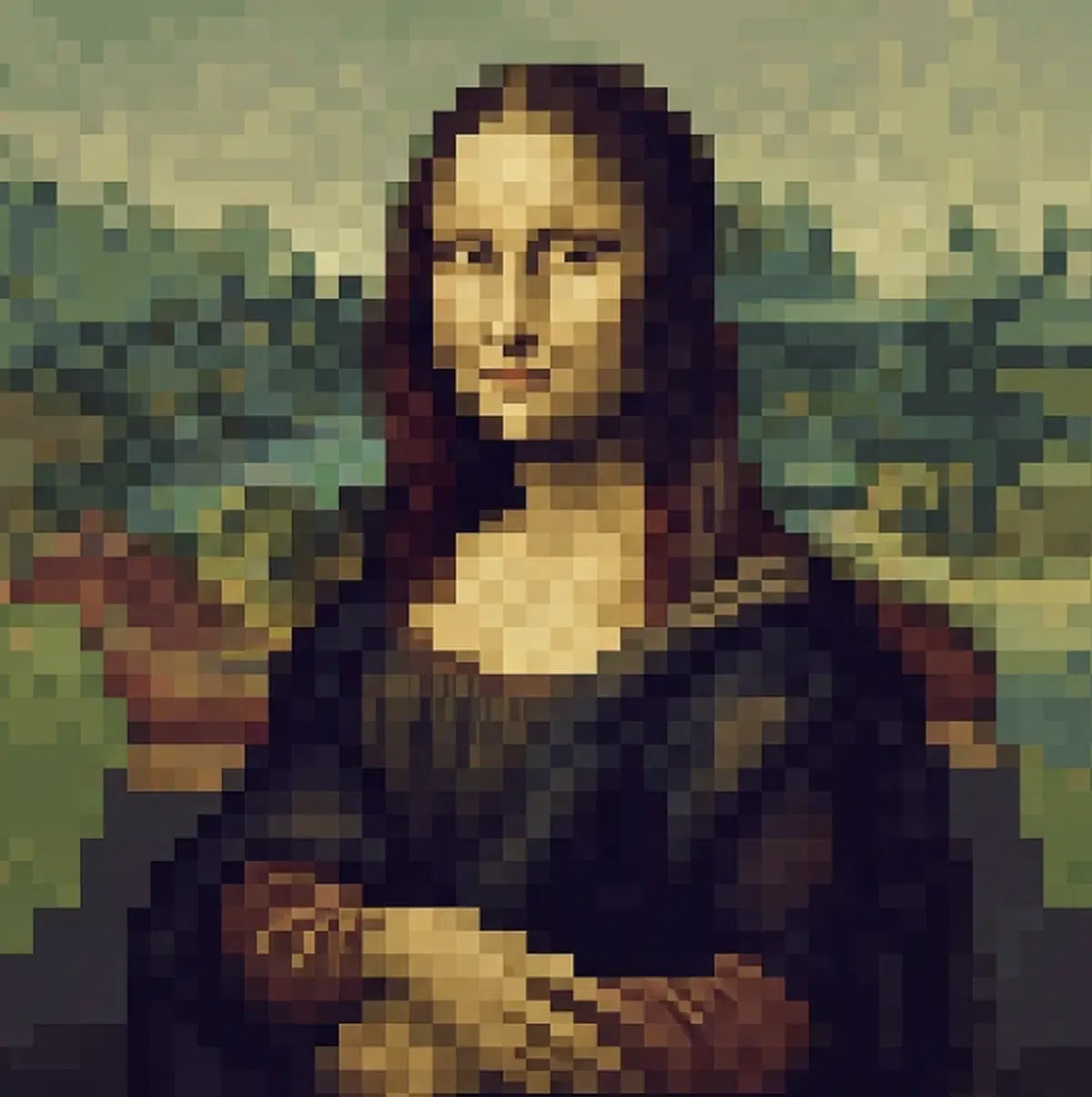
For isometric design, you can ask for “isometric cutaway of a coffee shop interior, vector style,” and for low poly designs, a prompt could be “low poly mountain landscape at sunrise, pastel gradient sky.”
Vector and isometric styles are great for infographics, explainer visuals, or reports. Pixel art can add nostalgia and fun into social media campaigns.
3D renders are ideal for product showcases, architectural concepts, or futuristic branding. Low poly landscapes and objects evoke a sleek, tech-driven vibe that complements modern design trends.
With Pikto AI, you can create these digital styles and bring them into your visual projects. You can create a vector-style illustration for a blog header and adapt the same visual into a matching infographic template.
A 3D-rendered image of your product can be used as a hero asset on social posts then added to a presentation deck.
The great thing about digital aesthetics is that they can be woven seamlessly into modern formats and Pikto AI makes it simple to apply them consistently across campaigns.
Traditional and Classic Art Movements
Believe it or not, traditional and classic art movements are potential AI art styles you can effectively incorporate into your branding and storytelling.
Impressionism, Cubism, Surrealism, Renaissance, and Expressionism are examples of traditional and classic art movements that AI can emulate to produce images.
Each of these movements have trademark elements that AI uses to produce images in that style.
Impressionism uses soft brushstrokes, pastel colors, and focuses on light whereas Cubism features fractured geometry, multiple perspectives in one image, and bold abstraction.
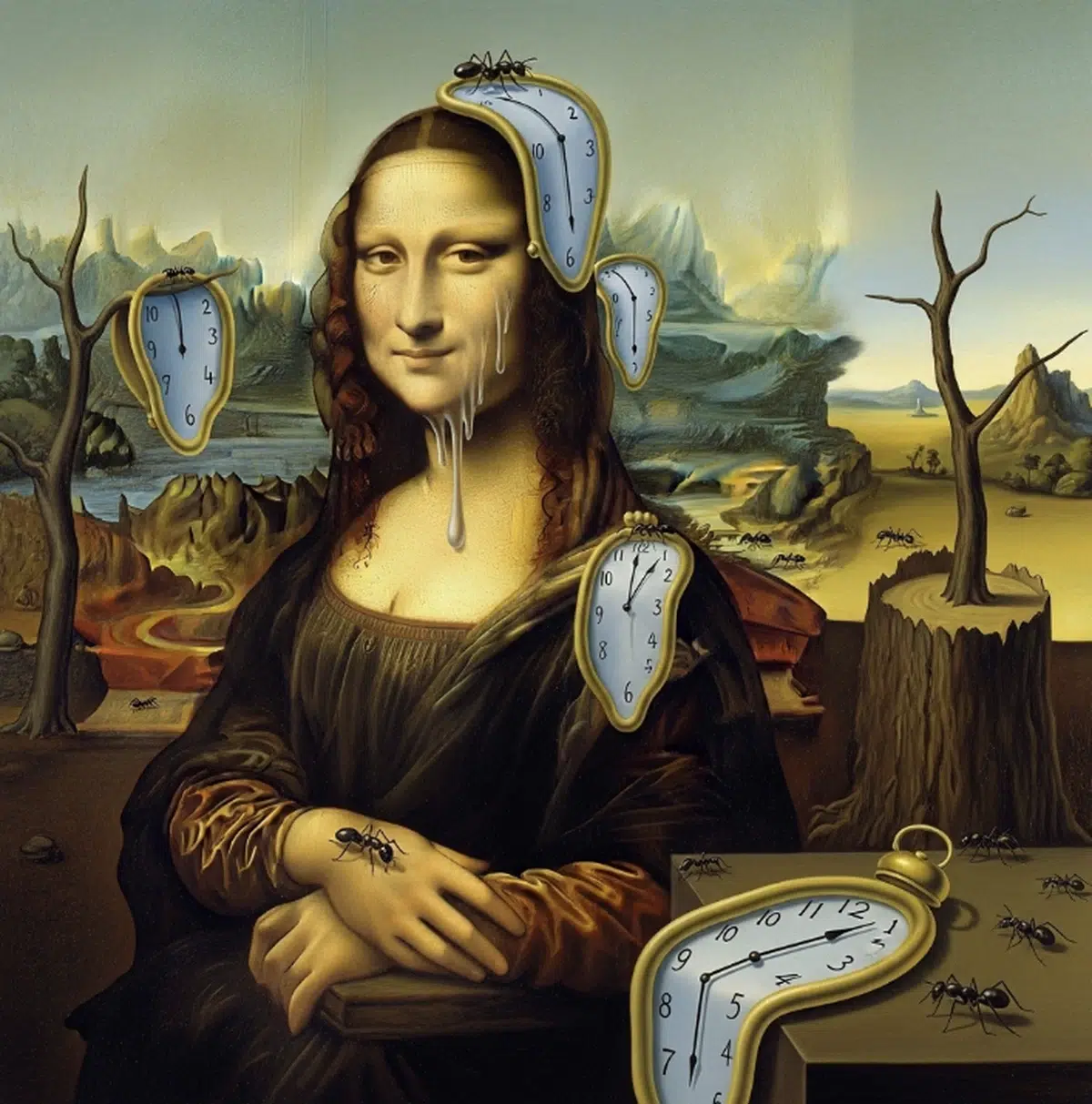
Surrealism is recognizable by impossible objects and fluid shapes while Renaissance art depends on rich colors and dramatic lighting. Expressionism uses exaggerated lines and vivid colors.
The easiest way to get AI to draw a particular style for you is to either name the artist or a painting and ask the AI image generator to make your drawing look like the artist’s work.
You can ask for a Cubist oil painting, in the style of Pablo Picasso, Surrealist digital artwork, inspired by Frida Kahloí’s The Two Fridas, or a Renaissance portrait with dramatic chiaroscuro, like Caravaggio.
Like the Mona Lisa in Ghibli style example above, you can achieve this if you ask Pikto AI to paint the Mona Lisa in a Surrealist style, a la Salvador Dali in “The Persistence of Memory.”
If you’re wondering when classical art might be relevant in your work if you don’t work for a museum, they’re more versatile than you think.
Traditional and classic art styles immediately elevate your brand’s visuals, making them feel cultured, artistic, and timeless.
Classic art can help you stand out and connect to a wide audience: a Renaissance-style border can frame an infographic or a Surrealist-inspired graphic can serve as a unique header image that can draw attention from people who recognize the art.
Instead of spending hours sourcing stock images that may not fully match your vision (or is copyrighted), Pikto AI gives you custom classics at a moment’s notice.
Creating Styles That Pop: Prompt Engineering Essentials
When people first start using AI art tools, they usually just type in a style name. You’ll get better results once you learn how to give better, more detailed descriptions of what you’re looking for to the AI.
Below are three essential strategies to make your AI art stand out.
We also cover this in our piece on prompt engineering for images.
Combining Multiple Styles
One of the most unique aspects of AI art is its ability to put together aesthetics that would be impossible to do in traditional art.
You can, for example, enter these words into Pikto AI’s text box: “cyberpunk sculpture of Athena, glowing neon lighting, futuristic bronze material,” “art Deco illustration of a modern city skyline, flat vector colors, golden patterns,” and “pixel art in Impressionist style, inspired by Monet, but rendered in 16-bit blocks” and Pikto AI can produce these images for you.
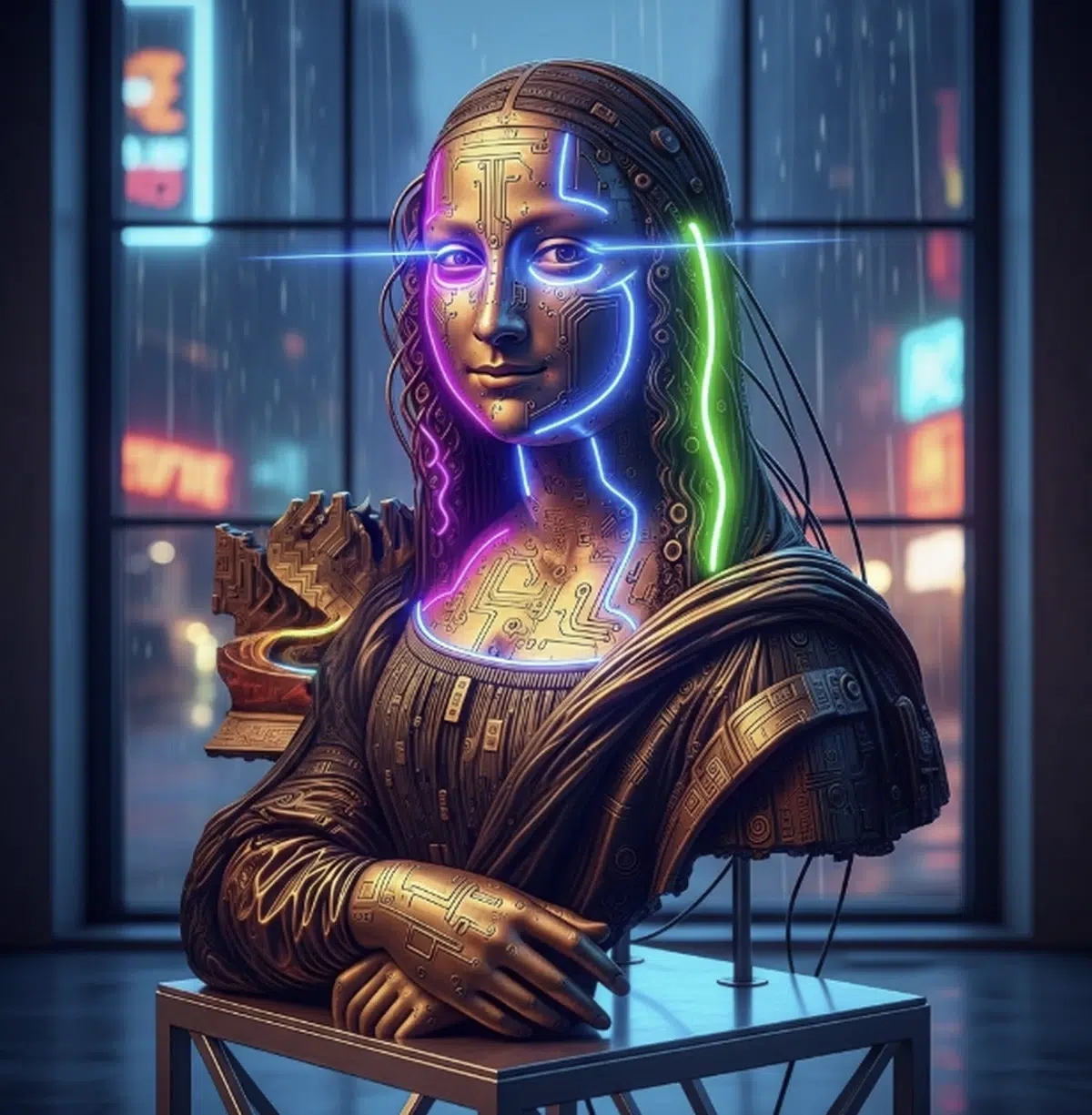
Cyberpunk sculpture of Mona Lisa, glowing neon lighting, futuristic bronze material
AI can create these combinations because it recognizes the hallmark features of each style—cyberpunk’s neon, sculpture’s 3D textures, Art Deco’s geometric lines—and blends them into something new.
As a creator, you can use hybrid prompts to make creative new genres of media. You can design a retro-meets-futuristic campaign, give your presentation slides an avant-garde twist, or even create social content that looks wholly original if you use the right prompts.
With Pikto AI, combining multiple styles is easy. All you need to do is stack the descriptors in your prompt.
After generating, you can immediately drop those hybrid visuals into your Piktochart presentations, posters, or social media visuals, simplifying your workflow and making your brand stand out.
Enhancing Styles with Details
You may have heard the saying “The devil is in the details.” This is true for AI art.
The more details you give the AI, the better your image may turn out. Small details like lighting, composition, and texture can completely change your image’s mood.
To improve your image’s lighting, add terms like:
- golden hour
- soft studio light
- neon glow
- candlelit
For example, “Anime portrait, golden hour lighting, soft watercolor shading” feels warm and romantic, while “Anime portrait, neon glow, cyberpunk atmosphere” feels edgy and futuristic.
For better composition: use descriptors such as:
- close-up portrait
- aerial view
- isometric cutaway
- wide-angle shot
These choices influence how your final image feels cinematic or intimate.
If you want to enhance your textures, adding these texture words can instantly elevate results:
- velvet fabric
- rough canvas
- polished marble
- gritty film grain
Compare “oil painting of a rose” with “oil painting of a rose on rough canvas, thick brushstrokes.” The latter feels way more tactile and authentic.
With Pikto AI, you can quickly test variations: generate three images of the same concept but vary the lighting, composition, or texture. You can drop the best version into your infographic or poster template for easy, polished, professional-grade visuals.
Beyond Style Names
Like we mentioned earlier, while you’ll get good results naming a style, you’ll get even better results if you layer in references, technical details, and emotions in your prompt.
For example, if instead of only saying “I want a Post-Impressionist style,” if you add, “inspired by Van Gogh” or “in the style of Hokusai,” it can help the AI give you a more faithful rendition of their style.
You can also play with the technical details of an image through prompting. Words like “macro lens,” “f/1.8 bokeh,” “wide-angle shot,” “tilt-shift photography” give images a cinematic realism and change the perspective of the final product.
Adding emotional descriptors will also change the emotion of your visual. Terms like “ethereal,” “melancholic,” “playful,” “epic” can shape the image’s mood.
For example, “cinematic anime portrait of a traveler, melancholic mood, golden hour lighting” will give a different flair than “cinematic anime portrait of a traveler, playful mood, cyberpunk lighting.”
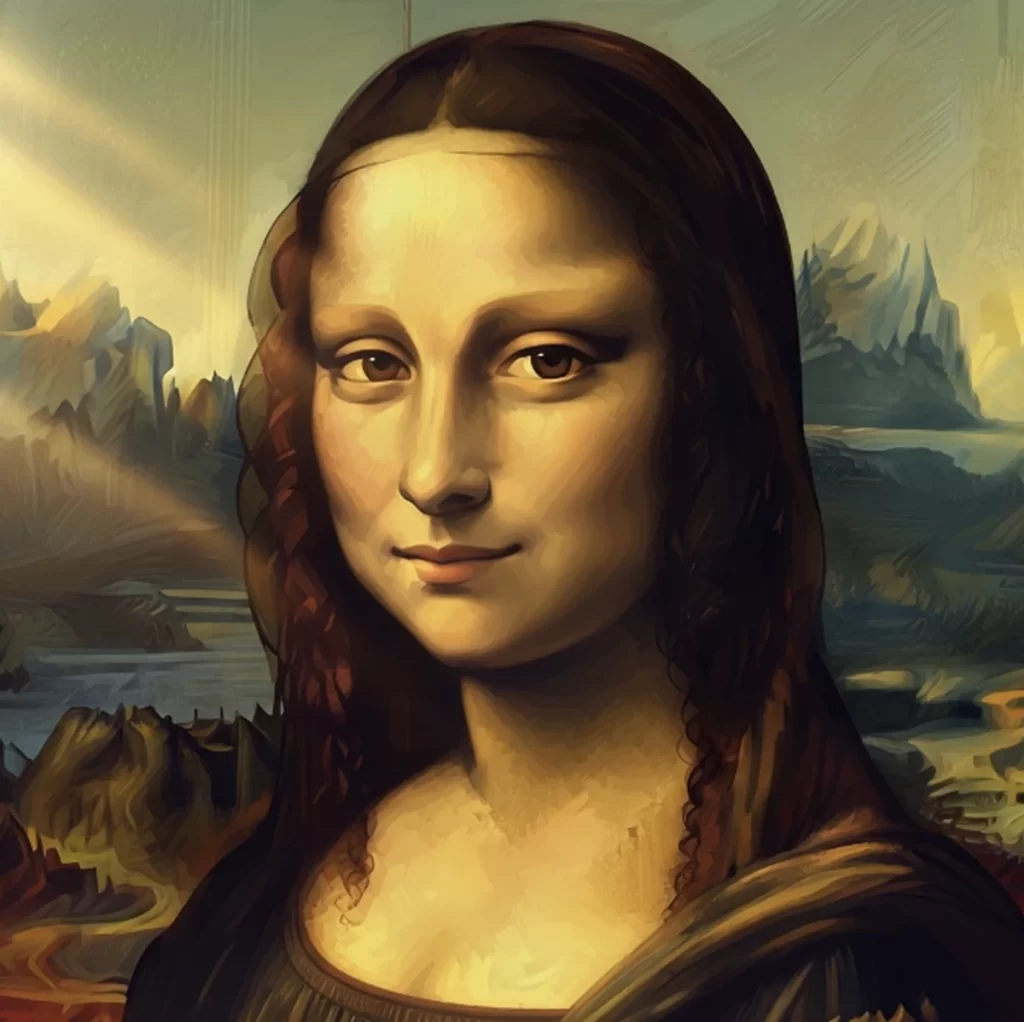
Cinematic anime portrait of Mona Lisa, melancholic mood, golden hour lighting

Cinematic anime portrait of Mona Lisa, playful mood, cyberpunk lighting
With Pikto AI, if you give detailed prompts, your generated visuals will already feel polished enough to be moved directly into a presentation, poster, or social campaign, which saves you editing time, gives your content a professional edge, and helps it stand out.
How to Use AI Art Styles in Your Workflow
If you want to use different AI art styles for your content generation or visuals, you have plenty of options to work with. Whether you’re a marketer, educator, or independent creator, the right style choice can transform ordinary content into something memorable for your brand, presentation, or social media post.
Ideation and Exploration
One of the best uses of AI art is rapid brainstorming, even in visual areas like art. You can generate 10–15 variations of the same artwork in different styles and see which you feel works best.
For example, if you’re preparing a campaign on sustainability, try prompts like “watercolor forest,” “low-poly eco-city,” or “retro comic-book recycling hero.” Each option gives you a different creative direction.
With Pikto AI, you can create mood boards directly inside the platform then refine and test variations until you land on the perfect concept.
Branding and Content Consistency
Building a strong brand requires a consistent visual tone.
Once you’ve discovered a style that feels on-brand, for example, minimalist vector art or vintage poster, you can reuse that style across assets: social media graphics, reports, presentations, and even video thumbnails.
Pikto AI makes this easy: generate in your chosen style and then drop the images straight into ready-made templates so your campaign materials all share the same look. This not only builds brand recognition but also saves you hours compared to designing each piece manually.
Storytelling and Engagement
Different art styles will bring out different emotions. Using an impressionist background might set a dreamy and nostalgic mood while cyberpunk art suggests energy and rebellion.
By matching a particular style to the story, your content becomes more engaging.
For example, an educational infographic about space exploration can be complemented with retro-futuristic vector art, which makes it instantly more appealing to your audience.
Monetization Opportunities
Using AI art styles can be a potential revenue stream source.
You can create new and unique prints, merch designs, or fan art commissions in highly requested styles like anime or vaporwave.
With Pikto AI, you can take those designs further by embedding them into pitch decks, product mockups, or marketing campaigns that help you sell on Facebook, Instagram, or Twitch.
Using Pikto AI means your workflow remains smooth, efficient, and consistent. Instead of using multiple tools, you can create, edit, and publish your visuals in one place.
Best Tools for Generating Styles
While a lot of AI image generators can produce art styles, the best tool often depends on the look you’re going for.
- MidJourney is great for cinematic, fantasy, and surreal visuals. If you want sweeping landscapes, detailed portraits, or atmospheric lighting, MidJourney is a good bet.
- DALL·E by OpenAI is versatile and beginner-friendly. Its strength lies in photorealistic images and imaginative mashups, which is great for fast experimentation.
- Stable Diffusion is ideal if you want flexibility. With custom models and community-trained style packs, you can come up with highly specific aesthetics ranging from ultra-stylized anime to obscure art movements.
- Adobe Firefly keeps brand safety in mind. It’s especially good for commercial-ready graphics, clean illustrations, and quick on-brand outputs.
- Pikto AI is great for being an all-in-one platform. Instead of exporting images from one tool to another, you can create in Pikto AI, modify it using a suite of AI tools, and immediately integrate your visuals into real assets: presentations, social media posts, reports, or marketing campaigns. This shortens your workflow and keeps your branding consistent.
Different generators excel in different areas, but Pikto AI provides a whole workflow so that you can create and immediately edit and use your visuals.
Conclusion
AI art styles have the potential to help your content stand out by helping you shape mood, emotion, and impact.
By understanding what styles you can use, how to give prompts with more details, and even combining styles, you can create visuals that feel original and professional.
With Pikto AI, you can generate art in any style, use the Pikto AI suite to modify your work, then instantly apply your art to social posts, reports, and campaigns, keeping your workflow easy and your brand assets consistent.
Check out Pikto AI’s visual generator suite and discover your unique art style today.