Adobe Express charges $9.99/month for its Premium plan, and the features most teams actually need sit behind a $69.99/month Creative Cloud subscription. Since the legacy version shut down in May 2025, users who relied on the free tier have been scrambling for a replacement.
Good news: strong Adobe Express alternatives exist at every price point. Pikto AI turns raw data into polished infographics in seconds. Canva offers thousands of social-media-ready templates on a generous free plan. Affinity sells professional-grade design tools for a one-time $69.99 fee. No recurring subscription required.
Below, we test and compare 10 options side by side so you can pick the right tool for your workflow, your team size, and your budget.
What Is Adobe Express (and Why Are People Leaving)?
Adobe Express is Adobe’s browser-based design platform aimed at non-designers who need social media graphics, short videos, flyers, and branded visuals without opening Photoshop or Illustrator. It launched in December 2021 as a rebrand of Adobe Spark, which itself evolved from three separate mobile apps: Spark Post, Spark Page, and Spark Video.
The free plan gives you access to a limited template library and basic editing features. Adobe Express Premium ($9.99/month) unlocks the full template collection, Adobe Firefly AI image generation, premium fonts from Adobe Fonts (over 25,000 families), and background-removal tools. The catch: features like advanced brand kits, shared team workspaces, and bulk asset creation still require a Creative Cloud subscription at $69.99/month or higher.
So why the exodus? Three patterns keep surfacing in G2 reviews and Reddit threads:
Price escalation. Users sign up for the $9.99 tier, hit a feature wall, and discover the real cost is seven times higher.
Limited output formats. Adobe Express handles social posts and simple videos well. It stumbles with infographics, data-heavy reports, and print-ready files like brochures or large-format posters.
The May 2025 shutdown. When Adobe retired the legacy free version, it forced casual users to either upgrade or leave. Many chose to leave.
If any of these frustrations sound familiar, the alternatives below are worth your time.
What Is Adobe Express?
Think of Adobe Express as Adobe’s answer to Canva: a simplified, template-driven design tool built for people who do not live inside Photoshop or Illustrator. It handles social media posts, animated videos, flyers, and quick web pages through a drag-and-drop editor available in any modern browser.
The platform started life as Adobe Spark back in 2016 before Adobe rebranded it in late 2021. Since 2023, it includes generative AI features through Adobe Firefly, letting users create images from text prompts and auto-resize designs for different platforms.
Pricing breaks down into two tiers. The free plan covers basic templates and limited stock assets. Adobe Express Premium costs $9.99/month on its own, or it comes bundled with any Creative Cloud subscription ($69.99/month), which adds the full template library, 25 monthly AI generation credits, brand kits, and scheduled social posting.
So why do people leave? The editing tools stay surface-level: no advanced photo retouching, no vector creation, and no support for data-heavy formats like infographics or reports. Collaboration is restricted unless every team member has a paid Creative Cloud account. For users who outgrow those boundaries, the 10 alternatives below offer wider creative range at competitive price points.
Why look for an Adobe Express alternative?
Adobe has a powerful brand presence that comes from nearly 40 years on the market, and Express has its strengths. For non-designers, Adobe Express offers the ability to create polished and professional graphics without advanced skills.
However, a big name doesn’t guarantee the best fit. Express has its flaws, and one of these may be why you’re currently searching for an alternative.
A common complaint is pricing. Adobe Express Premium is $9.99/month, which is comparable to similar platforms like Canva or VistaCreate. However, access to the full Adobe Suite, which can be necessary for more advanced marketing efforts, substantially raises the cost to $69.99/month.
Some people decide to switch because of feature gaps. Small annoyances– like the effort it takes just to switch fonts and limited photo editing capabilities– can accumulate, turning even minor projects into time-consuming tasks.
Recent updates have also resulted in unhappy users. In May of 2025, the legacy version of Adobe Express was shut down, and everyone switched over to an updated version. For those who opted to stay with the old UI as long as possible, the change was jarring and unwelcome.
Adobe Express Alternatives at a Glance
Before diving into the detailed reviews, here is a side-by-side snapshot of every tool covered in this guide. Use the table to shortlist your top two or three options, then read the full write-ups below.
| Tool | Free Plan | Paid Price | Best For | AI Features | Video | Brand Kit | Mobile App |
|---|---|---|---|---|---|---|---|
| Pikto AI | Yes (7-day trial) | From $29/mo | Data visuals, reports | Yes (Image Gen, Modifier) | Yes | Yes (Business) | No |
| Canva | Yes | From $15/mo | Social media, team collab | Yes (Magic Media) | Yes | Yes (Pro+) | Yes |
| Stencil | Yes (10 images/mo) | From $15/mo | Quick social graphics | No | No | No | No |
| PosterMyWall | Yes | From $9.95/mo | Event posters, flyers | Yes | Yes | No | Yes |
| Visme | Yes | From $29/mo | Infographics, data visuals | Yes | Limited | Yes (Pro) | No |
| Affinity | No | $69.99 one-time | Pro-grade design | No | No | No | Yes (iPad) |
| Snappa | Yes (3 downloads/mo) | From $15/mo | Fast social content | No | No | No | No |
| Bazaart | 7-day trial | $4.99/week | Mobile photo editing | Yes (AI backgrounds) | Yes | No | Yes |
| PicMonkey | Yes (limited) | From $7.99/mo | Photo editing + design | No | No | Yes (Pro) | Yes |
| VistaCreate | Yes | From $13/mo | Templates, animation | Yes | Yes | No | Yes |
| Microsoft Designer | Yes | M365 Copilot $30/user/mo | Microsoft 365 teams | Yes (DALL-E, Copilot) | No | Yes (M365) | Yes |
The 10 best Adobe Express alternatives (Free & paid)
As of 2026, the strongest all-round Adobe Express alternatives are Pikto AI for data-driven content, Canva for social media and team collaboration, and Affinity for professional-grade design without a subscription.
If you have zero design experience, tools like Stencil, Snappa, and Canva are purpose-built for non-designers — offering drag-and-drop editors, pre-formatted templates, and guided layouts that eliminate the blank-canvas problem entirely.
Several of these alternatives now include generative AI text-to-image features: Pikto AI offers an AI Image Generator and Image Modifier, Canva includes its Magic Media tool, and Bazaart provides AI-powered background and image generation — all viable replacements for Adobe Firefly built into Express.
The best alternative depends on what you use Adobe Express for. We’ve noted each tool’s main strength to help you find exactly what you need.
? Strength: AI-driven content creation
Piktochart is a graphic design tool and infographic maker that’s focused on data visualization, infographics, reports, and interactive visual content. Our main goal is to help users bring their data and research to life.
In 2025, PiktoAI Studio launched with a full suite of AI tools: AI Image Generator, AI Image Modifier, AI Background Removal, and more. With Piktochart Video, you can also record, edit, and share videos, without having to add another tool to your tech stack.
My favorite feature? Preserve Content.
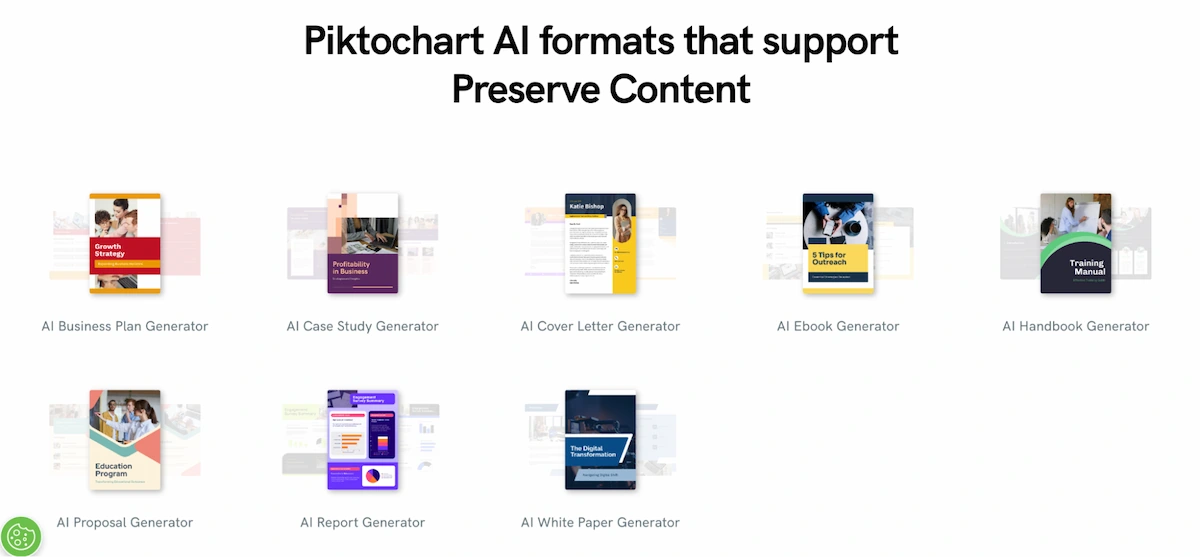
With Preserve Content, you just upload text-heavy documents into Piktochart AI, and all of your text, images, and data appear in a presentation-ready visual. No paraphrasing, and never any hallucinations.
Standout features:
- data importation options
- drag-and-drop editor
- large template library
- interactive and embedded content
- brand kit
- team/collaboration tools
Best use cases:
- data visuals
- reports
- white papers
- case studies
- educational content
Consider Piktochart if you:
- often present data or research
- want to create polished visuals without design experience
- are interested in integrating AI into your workflow
Pricing:
- Free: 7-day access to unlimited projects, 2 PNG downloads
- Pro: $29/month for unlimited PNG downloads, more than 5 million icons and graphics, 100 GB storage
- Business: $49/month per user, unlimited PNG, PDF, and PPT downloads, brand kit, 250 GB storage
**Plans are 52% lower with an annual subscription. Deeply discounted plans are available to teachers, students, and nonprofits.
Canva
? Strength: All-in-one content creation + usability
Canva’s strength lies in its versatility: you can use the tool to design almost anything, from social media posts to presentations to documents and more.
Team accounts support shared access and allow you to assign roles to team members. They can also be used to streamline design approvals, so marketing assets don’t end up bounced from one inbox to another for days until someone signs off.
If you’d prefer to use a single tool to design all of your marketing assets, Canva may be a good fit. You can export designs as PNG, JPG, PDF, SVG, video, GIF, or even publish Canva Docs as websites.
Standout features:
- massive template and stock asset library
- intuitive drag-and-drop editor
- built-in photo editing tools
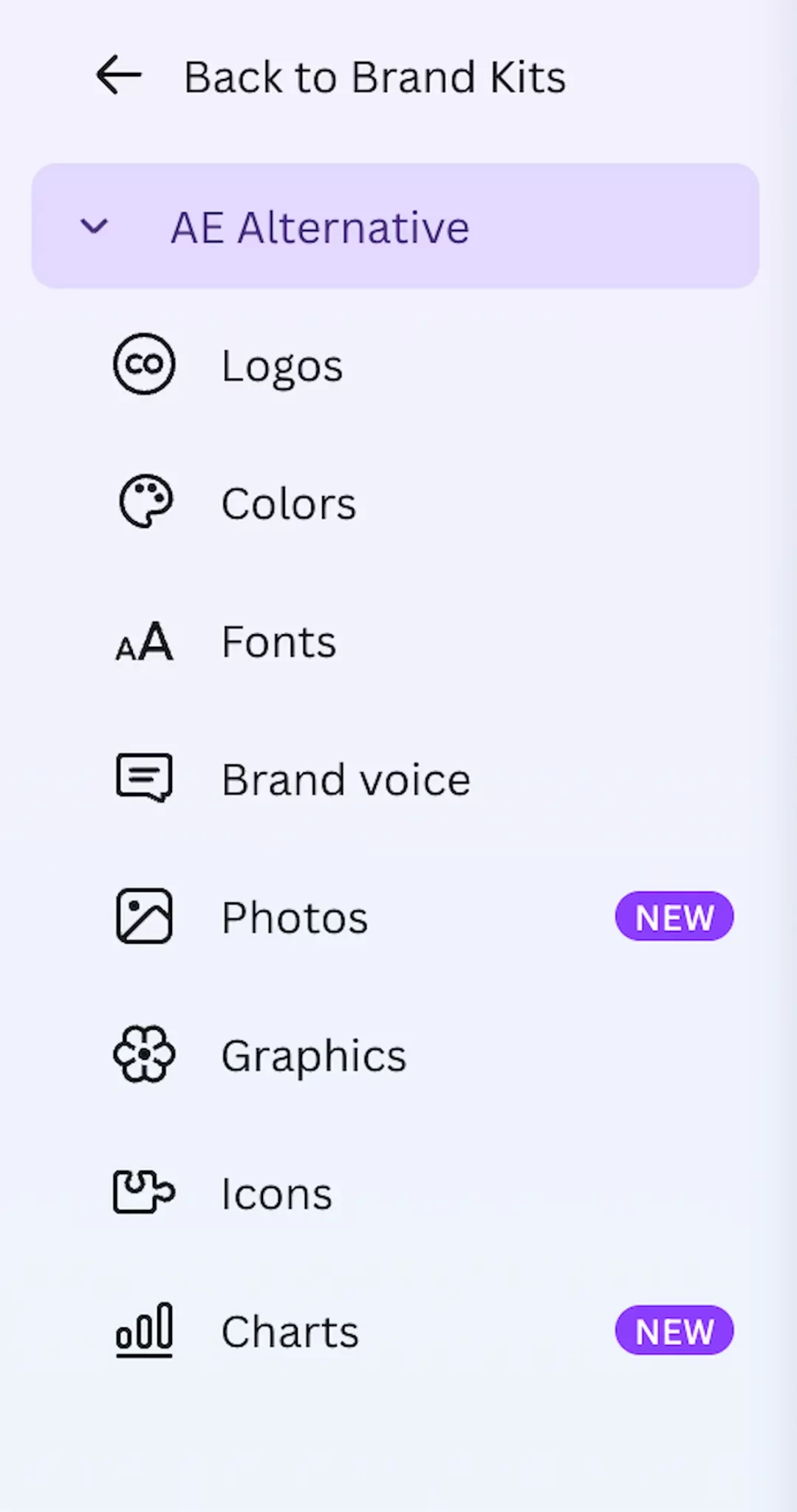
- comprehensive brand kit
Best use cases:
- social media graphics
- presentations
- email headers
- branded marketing assets
Consider Canva if you:
- are a content creator
- work in marketing
- collaborate with a team that all need access to your design platform
Pricing:
- Free: access to some templates, stock assets, and minimal cloud storage
- Pro: $15/month: unlimited access to templates, design assets, AI features, and large cloud storage
- Teams: $10/month per person for a minimum of 3 people
**Plans are 16% lower with an annual subscription. Canva is available for free for K-12 students and teachers.
Compared side by side with Adobe Express Premium ($9.99/month), Canva Pro ($15/month for individuals) includes a more extensive template library, built-in social scheduling, and a full brand kit — features Adobe locks behind its $69.99/month Creative Cloud subscription. For most non-specialist users, Canva Pro delivers more value per dollar.
Stencil
? Strength: Speed + usability
Stencil is a streamlined content creation tool that’s ideal for people who have a small (or nonexistent) marketing team. That means it also works well for people who don’t have much time for marketing, either.
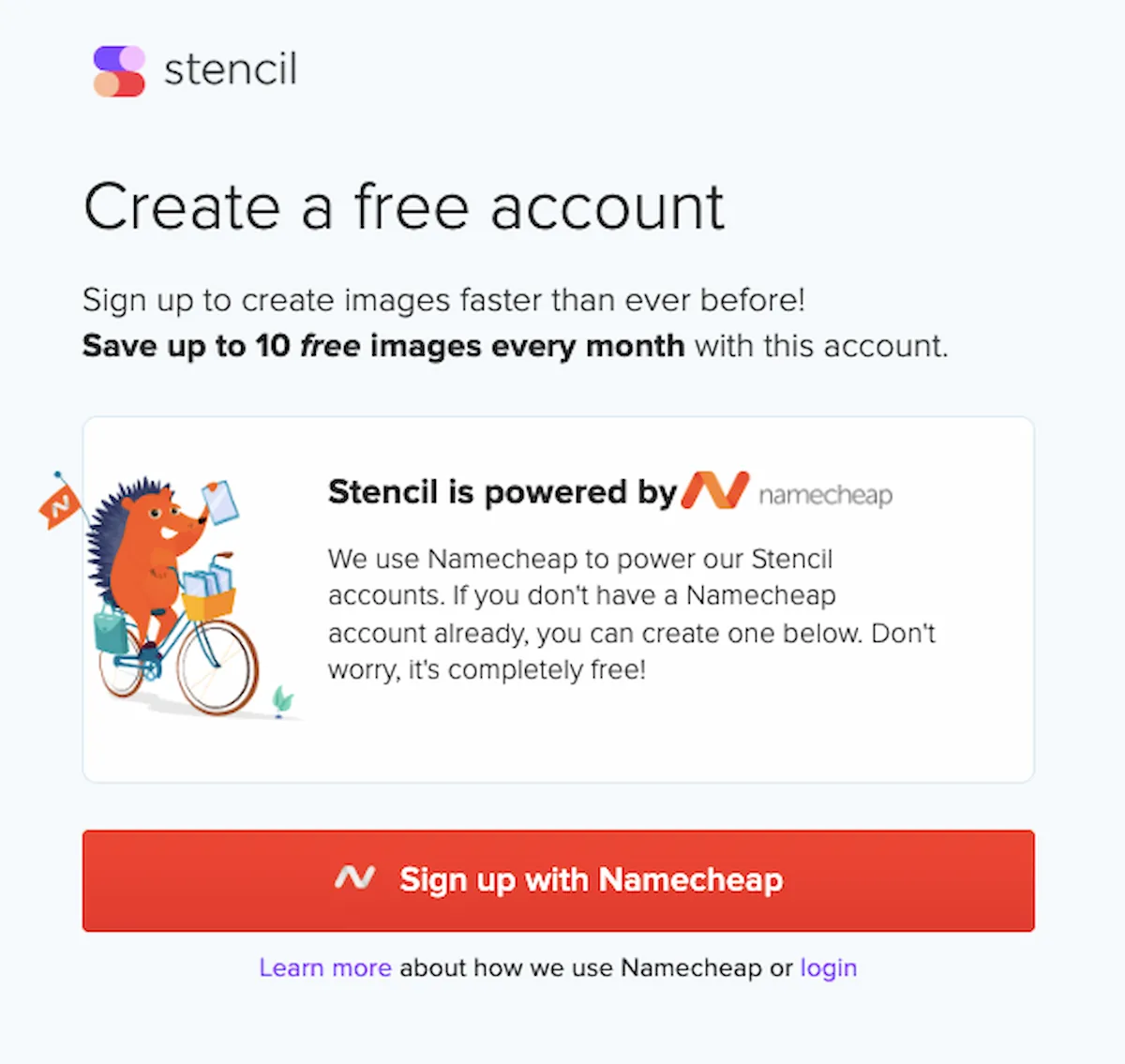
Stencil is powered by Namecheap, so you’ll have to register with Namecheap to create your Stencil account. It feels a little unorthodox, but once you’re logged in, you won’t have to switch back and forth.
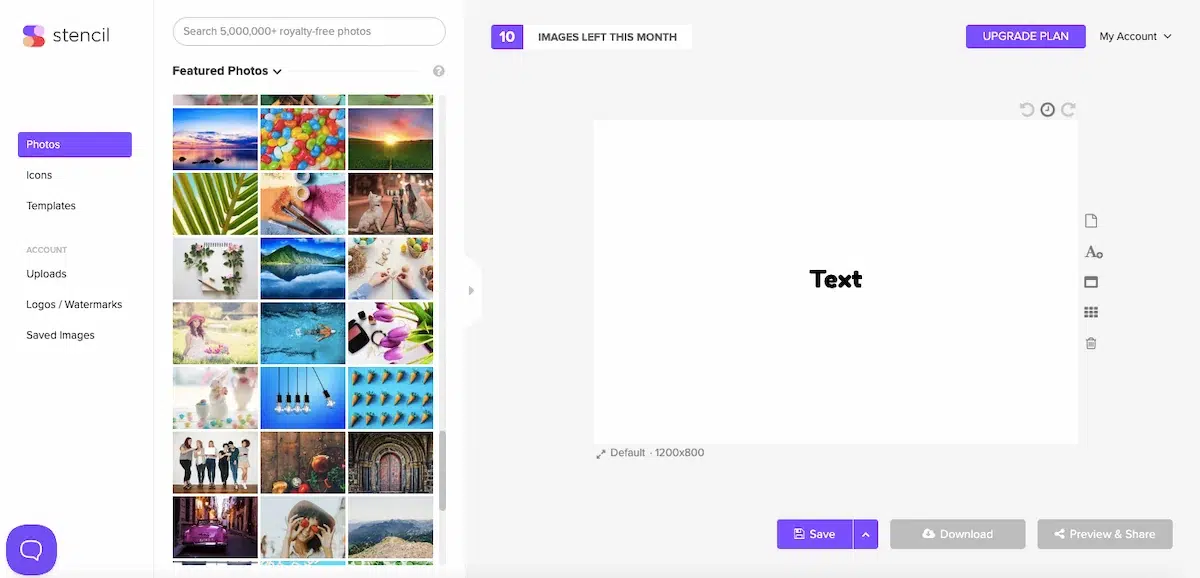
The user interface is straightforward and arguably minimalistic compared to most competitors. Tech really isn’t your thing? Stencil might be exactly what you need.
Standout features:
- lightweight editor
- large stock library
- quote generator
- browser extension
Best use cases:
- quick graphics
- daily social media posts
- ad visuals
Consider Stencil if you:
- are a solopreneur or blogger
- don’t have time for a learning curve
Pricing:
- Free: save up to 10 images a month, access limited photos and icons
- Pro: $15/month, save up to 50 images/month and access a large portion of available photos, icons, templates, etc.
- Unlimited: $20/month: unlimited saves, access to full library of assets
**Plans are 40% lower with an annual subscription.
PosterMyWall
? Strength: Template-based graphic design tool
Hailed as one of the closest options to the older and much-loved version of Adobe Express, PosterMyWall is a simple, template-based platform that works well for creating marketing materials like posters, flyers, and ads.
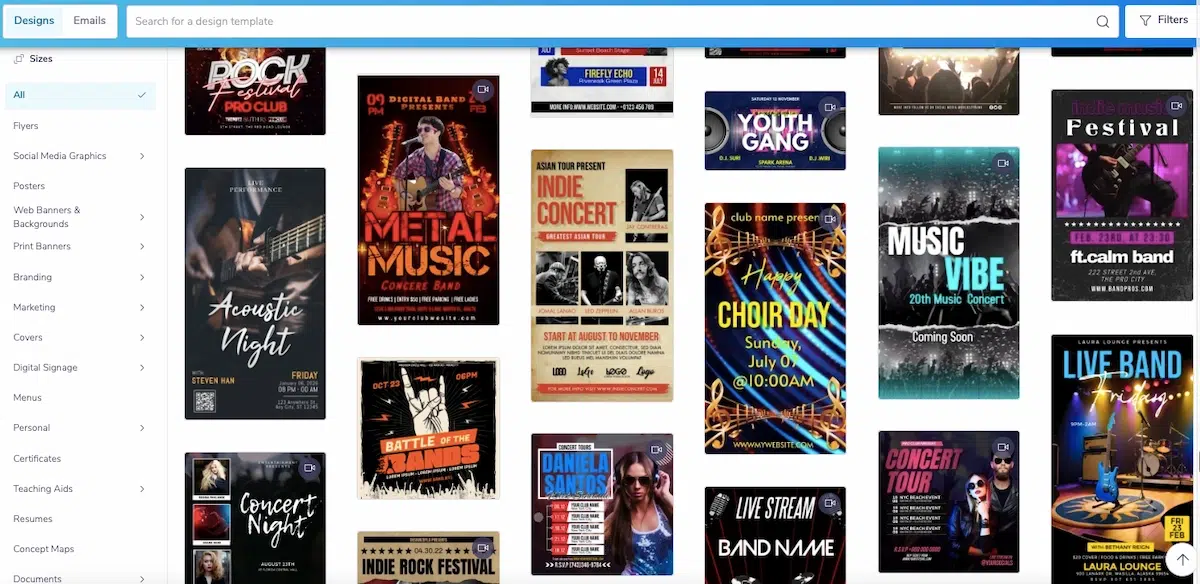
PosterMyWall is known for high-quality print marketing materials and offers ready-made templates for a large collection of specific events. Just take a look at the concert poster templates:
PosterMyWall can also connect with your social media accounts, allowing you to create and publish your content directly within the platform.
Standout features:
- massive poster/flyer template library
- video options
- focus on marketing assets
Best use cases:
- event promotion
- small business marketing
- schools
Consider PosterMyWall if you:
- need professional posters immediately
- run an event venue
- need print marketing assets
Pricing:
- The free plan allows access to more than a million design templates and unlimited basic image downloads
- Premium: $9.95/month, includes unlimited downloads, AI tools, and event marketing tools
- Premium+: $29.95/month, comes with additional email marketing features like unlimited event planning and a custom email address
**Plans are 16% lower with an annual subscription.
Visme
? Strength: Visual storytelling + data visualization
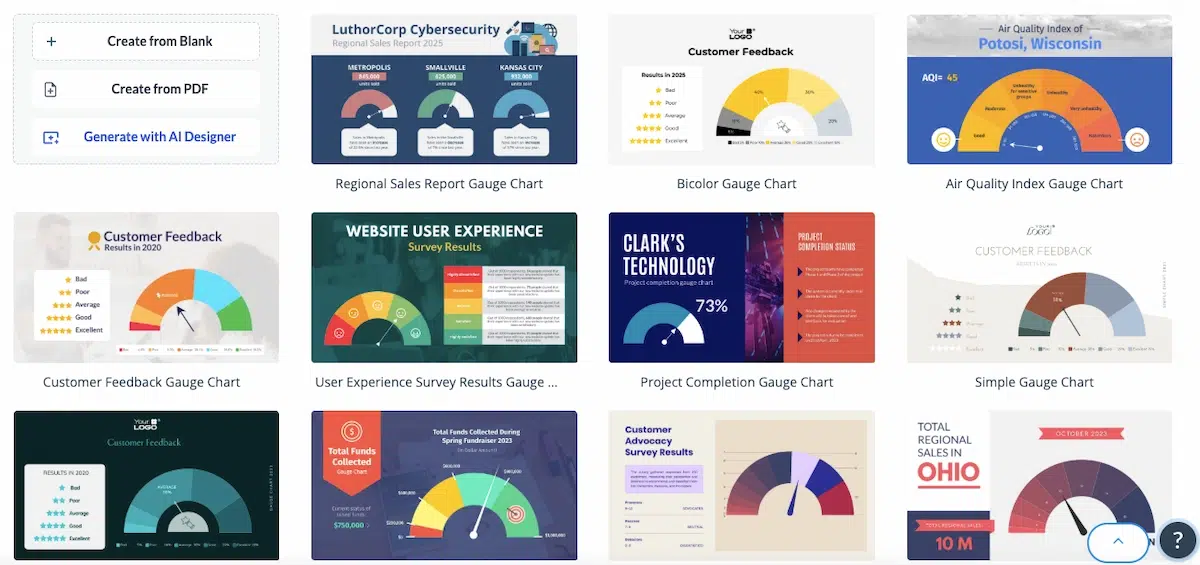
Visme is recognized for its ability to help you transform raw data into compelling visuals that make an impact. It’s a popular choice for people who regularly need to integrate data into a variety of formats; tons of chart/graph templates like these are available to users:
Templates and a drag-and-drop editor mean that you don’t have to have a design background to successfully use Visme, but the advanced features may require more learning and experimentation.
Standout features:
- ability to import datasets and convert them into graphics
- animation tools
- integrated accessibility checker
Best use cases:
- infographics
- data visuals
- slide decks
- e-books
Consider Visme if you:
- need polished, data-driven content
- work in education or the nonprofit sector
Pricing:
- Free: unlimited projects and limited access to templates and design assets
- Starter: $29/month, access to all assets and templates
- Pro: $59/month, offers additional download formats and a brand kit
**Plans are 50% lower with an annual subscription. Discounts are available to students, educators, and nonprofits.
When it comes to infographics specifically, Visme edges ahead of Canva with deeper data visualization tools — including direct dataset imports, animated charts, and an accessibility checker — while Canva offers broader general-design versatility and a larger template library.
Affinity
? Strength: Professional graphic design tool
Affinity is a professional-grade design suite. It offers deep control over your design, which is either wildly appealing or overwhelming, depending on your level of experience.
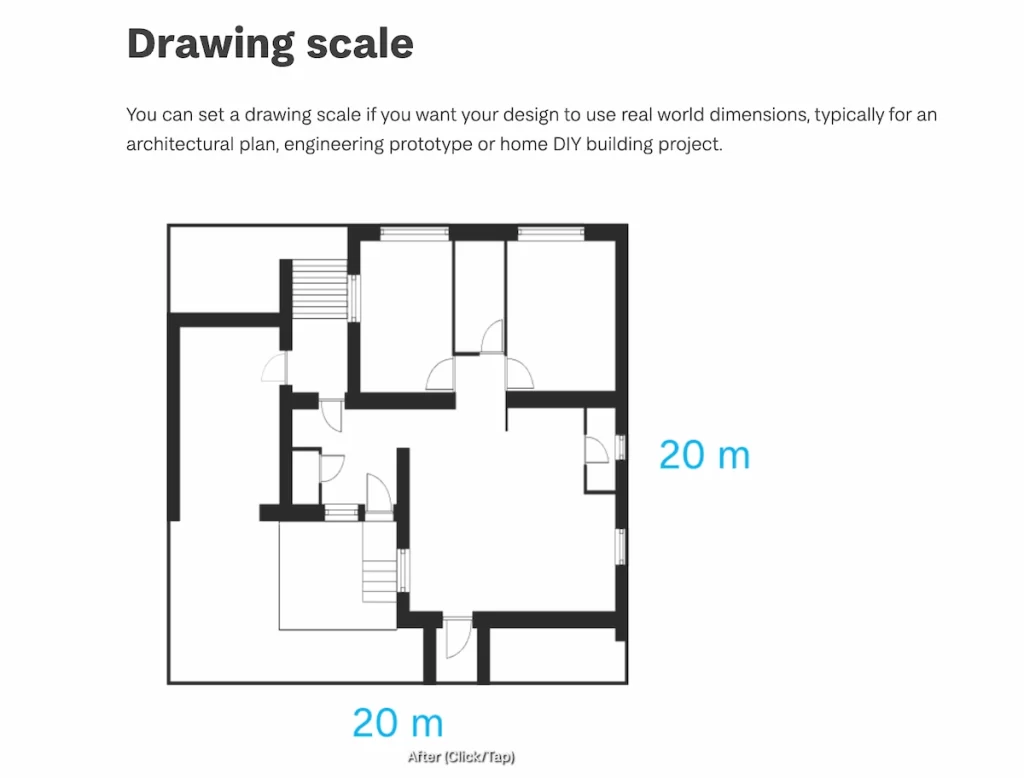
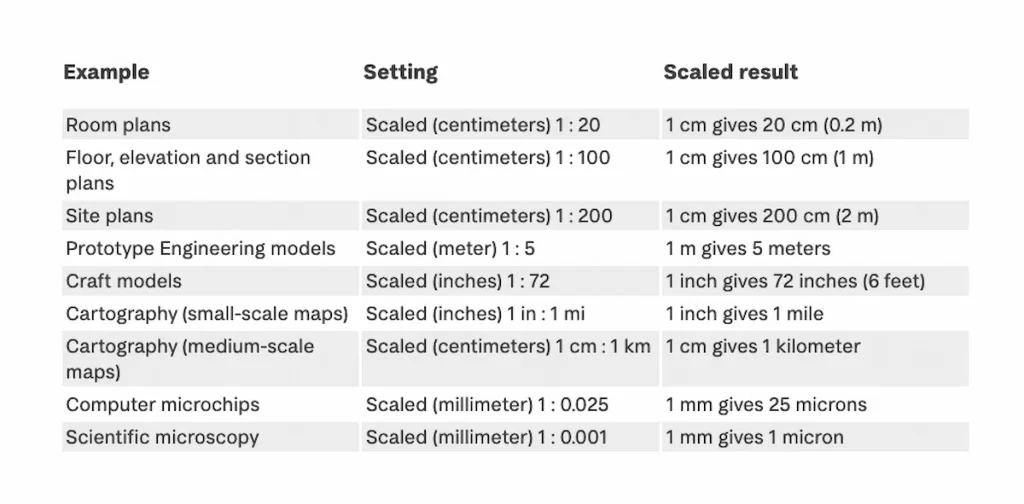
For example, Affinity offers features you might not find in other graphic design tools, like the ability to set a drawing scale:
Like Adobe, it includes a suite of apps for design, photo editing, and publishing. Unlike Adobe, however, it is a one-time purchase instead of a subscription model.
Affinity’s iPad app is full-featured, not stripped down like the mobile version of some other tools. It could be a good fit if you frequently switch between a tablet and computer for your design work.
Standout features:
- edit vector and photo elements in the same project
- praised for smooth performance and few glitches
- high-quality color options that print well
Best use cases:
- logo design
- publishing advanced graphics
- photo editing
- web graphics
Consider Affinity if you:
- have professional design experience
- prefer to have complete creative control over your designs
- want to avoid a subscription model
Pricing:
Unlike most platforms, Affinity is available as a one-time purchase. Software can be purchased individually or as a bundle.
- Designer, Photo, and Publisher desktop software: $69.99 each
- Designer, Photo, and Publisher mobile apps: $18.49 each
- Affinity V2 Universal License (includes all 3 desktop and mobile apps across all platforms): $164.99
Snappa
? Strength: Lightweight content creation
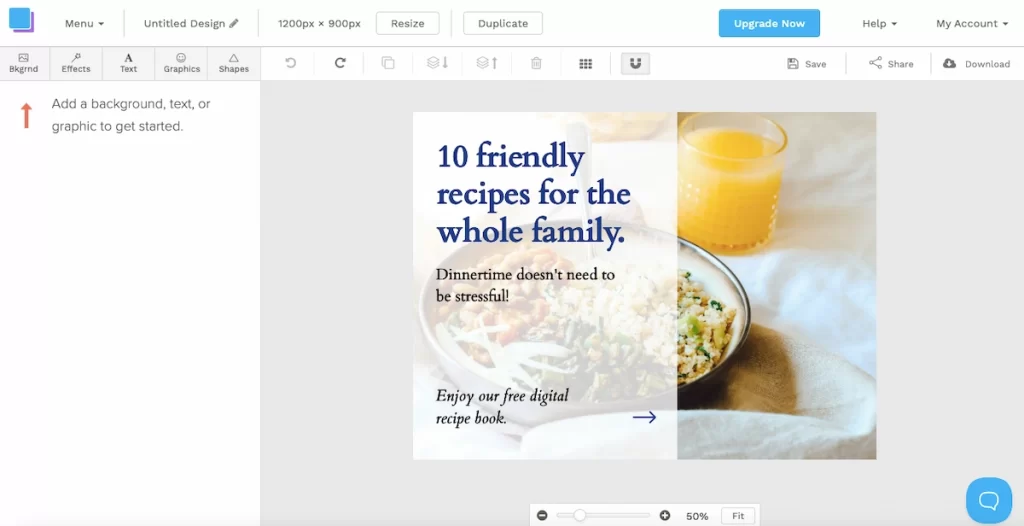
Snappa is a lightweight online tool that’s designed for quick drag-and-drop social media content creation. Its strength lies in its simplicity: pre-sized templates for every platform and direct publishing to your social media account.
If you know you need to work on your social media presence, but don’t have the bandwidth to take on a complex tool, Snappa is an ideal option with its no-frills designer:
Standout features:
- pre-sized templates for social
- direct publishing to socials
- stock photo integration
- one-click background removal
Best use cases:
- Instagram/Facebook posts
- blog headers
- thumbnails
- promo graphics
Consider Snappa if you:
- prioritize speed
- are working with a limited budget
- need to create graphics for multiple social media platforms
Pricing:
- Starter: Free, access to all templates and graphics, but limited to 3 downloads/month
- Pro: $15/month, access to all assets plus unlimited downloads, social media integrations, and custom font uploads for one user
- Team: $30/month, includes all features in Pro plan for up to 5 team members
**Plans are 33% lower with an annual subscription.
Bazaart
? Strength: Mobile-first usability
Bazaart is an AI photo editor, video editor, and design app. Unlike most of the other platforms on this list, Bazaart is almost exclusively used on mobile rather than a computer. It’s highly touch-friendly, and more intuitive on mobile than Express.
Bazaart has an extensive AI tool list that can be used to replace items in a photo, create new image backgrounds, create images from a prompt, and more. It’s straightforward and simple to use– it took me ~3 seconds and zero learning curve to remove the background of this chair I’m ready to sell on Facebook Marketplace.


However, Bazaart’s stock library isn’t as expansive as others on this list, with a smaller number of templates, stock images, font options, and clipart. It also offers fewer export options.
Standout features:
- mobile-first editing
- layering
- creative effects
Best use cases:
- photo edits
- AI generated backgrounds
- Instagram posts
- stylized photo edits
Consider Bazaart if you:
- prefer on-the-go design
- publish influencer content
- need to create collages
- need images for an e-commerce website
Pricing:
- $4.99/ week
- $77.99/year (which works out to $1.49/week)
**Bazaart offers a free 7-day trial, which then automatically moves into a one-year subscription unless you cancel in time. Pricing is for the mobile app.
PicMonkey
? Strength: Photo editing + design hybrid
Understanding the abilities of PicMonkey means understanding its history.
PicMonkey was founded in 2012 by former Picnik employees, which gives the tool its photo editing strength. In 2021, PicMonkey was acquired by Shutterstock, which substantially increased its stock imagery integration.
PicMonkey has expanded to include graphic design tools as well, but it’s still more for people who need aesthetic images more than intense graphic design.
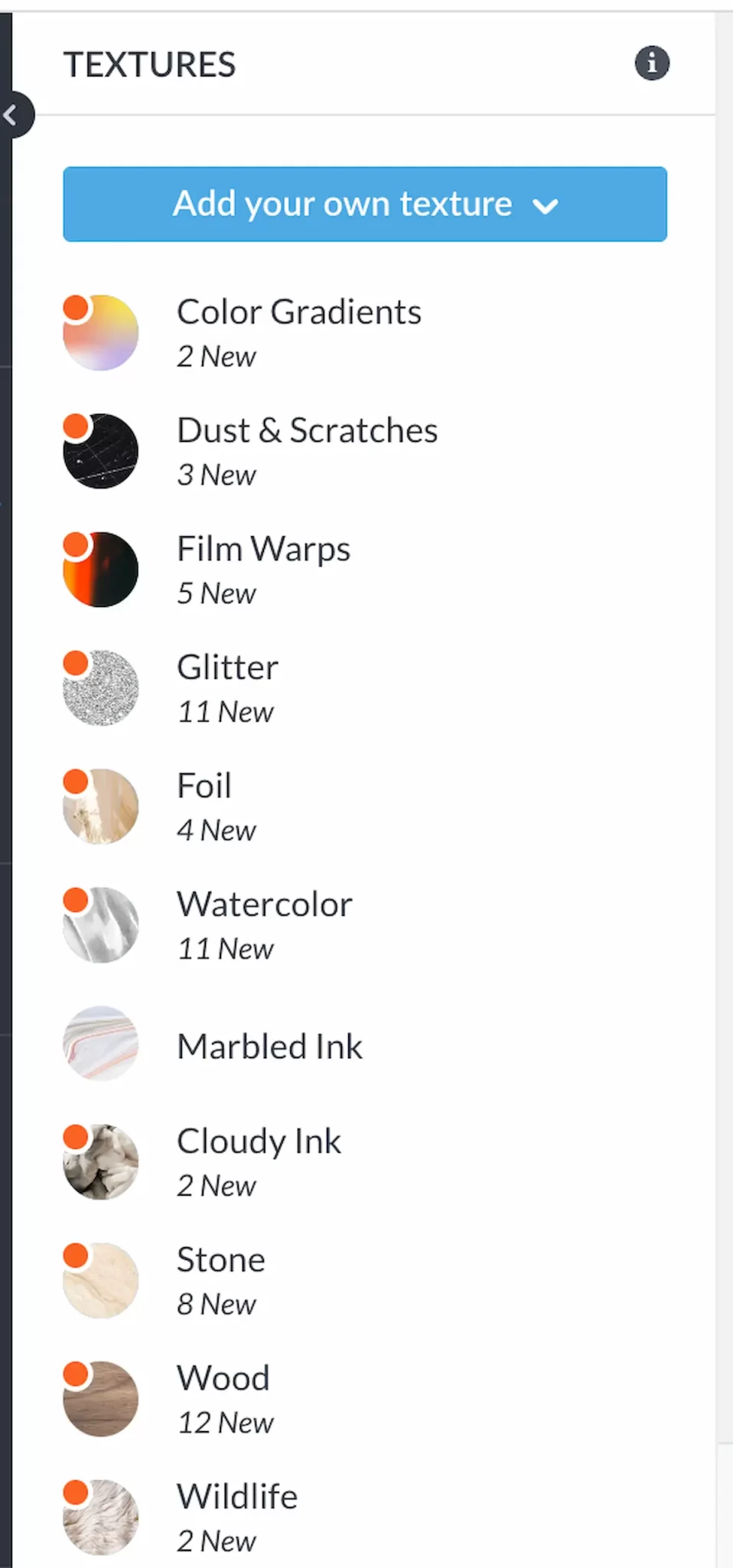
One of the features I really liked was the texture tool, which can be used to add depth and dimension to your design. More than 200 textures make it easy to achieve almost any look you can think of.
Standout features:
- powerful image retouching tools
- background remover
- text overlays
- smart resize
Best use cases:
- social graphics
- edited photos
- branded content
Consider PicMonkey if you:
- rely on polished photos in your marketing
- work with a marketing team
- don’t have a strong design background
Pricing:
- Free: Image creation and basic editing, but no ability to download or share an image. Includes mobile app.
- Basic: $7.99/month for photo editing and design tools, 1 GB of storage, and access to template library
- Pro: $12.00/month for basic tools plus unlimited storage, brand kit, animation tools, and more.
- Business: $23/month per user.
**A 7-day free trial is available.
VistaCreate
? Strength: Content creation with templates
VistaCreate is a content creation tool with lots of free animated templates. If you’ve been wanting to boost your social media presence with video or animation, but only feel comfortable creating static posts, the animated template library could give you a leg up.
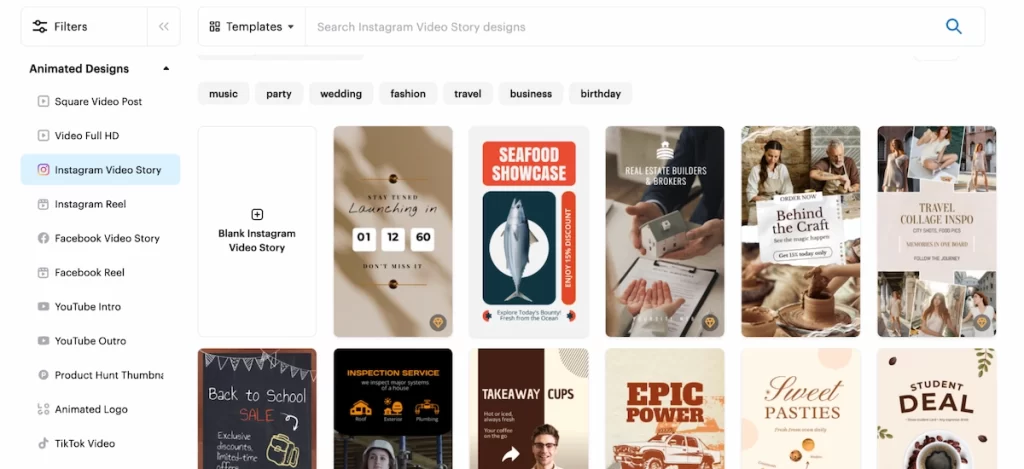
Only two plans are available with VistaCreate: Free and Pro. The Pro plan automatically acts as a team account for up to 10 members.
You can go pretty far with the free plan, but a lot of advanced features (like background removal and easy resizing) are locked behind the Pro subscription.
Standout features:
- more than 170 million stock photos, videos, and vectors
- generous free plan
- print and social marketing assets
- version history to revisit prior edits
Best use cases:
- social media graphics
- print materials like business cards, brochures, and postcards
- mixed media content
Consider VistaCreate if you:
- are a small business owner without a designer
- often need both print and digital marketing assets
Pricing:
- Starter: $0/month, includes limited number of templates and stock assets
- Pro: $13/month
**Plans are 23% lower with an annual subscription.
Microsoft Designer
Strength: AI-powered design within the Microsoft 365 ecosystem
Microsoft Designer is a free AI-powered graphic design tool integrated into the Microsoft 365 suite. It uses DALL-E for AI image generation and Copilot-assisted layouts to help users create social media posts, invitations, banners, and branded visuals from a text prompt or uploaded image.
The biggest advantage is ecosystem integration. If your team already uses PowerPoint, Word, and OneDrive, Designer slots into your existing workflow without adding another login or subscription. AI image generation is strong, and the brand kit (available through a Microsoft 365 subscription) pulls in your company fonts, colors, and logos automatically.
The trade-offs: Designer’s template library is smaller than Canva’s or Piktochart’s, export format options are limited, and there are no infographic or data visualization tools. It works best for quick social graphics and internal communications rather than data-heavy or print-ready designs.
Pricing: Free to use. Advanced AI features and brand kit require a Microsoft 365 Copilot subscription ($30/user/month).
Final verdict: Which Adobe Express alternative is right for you?
The right Adobe Express alternative comes down to a few factors like what you’ll be designing, whether you need to collaborate with others, and what your budget is.
For marketers, content creators, and businesses, I recommend Pikto AI because of its data visualization and professional communication tools.
For social media creators, I recommend Canva. With its massive template library, you won’t have any trouble finding posts for any platform or event.
For aspiring creators on a budget (read: needing to spend $0), I’d suggest trying Visme or PosterMyWall. Both tools have a free plan that allows access to a ton of templates without restricting your downloads.
If you need a free tool specifically for social media posts, Canva, Stencil, and VistaCreate all offer generous free plans with pre-sized templates for Instagram, Facebook, LinkedIn, and more. Snappa also provides a free tier with direct social publishing.
Small business owners who need a consistent branding kit — including saved logos, brand colors, and custom fonts — should look at Canva Pro or Pikto AI Pro, both of which offer centralized brand management alongside their template libraries.
Students and teachers get the best value from Canva, which is completely free for K-12 educators, or Visme and Piktochart, both of which offer discounted education plans with access to premium templates and collaboration features.
For AI-powered video creation, Pikto AI (via Piktochart Video) and VistaCreate both offer recording, editing, and animated template features built for marketing teams. For more advanced video editing outside the design-tool category, dedicated platforms like Descript or Kapwing may be worth evaluating alongside these alternatives.
Still not sure, or feeling paralyzed by decision-making? Almost all of the tools have a free trial or free version.
Try one for a week and evaluate your experience: How fast did you finish? Was it intuitive to use? Keep notes to compare each one you tried, and then commit once you’re done.
If you need infographics, reports, and videos, but don’t have hours to pour into making them, it’s time to try Pikto AI. Our ever-expanding list of AI tools does all the heavy lifting, so you can have professional-looking graphics with minimal time and effort.