AI video creation just levelled up.
When OpenAI announced Sora 2 in September 2025, the internet lit up. Marketers, content creators, educators, coaches, influencers… everyone wanted to see what this new text-to-video model could do. Named after the Japanese word for sky as a nod to its “limitless creative potential”, Sora 2 is a huge step up from Sora 1 (or Sora), which launched in February 2024.
The new frontier of AI video
The promise from OpenAI is huge: “With Sora 2, we are jumping straight to what we think may be the GPT‑3.5 moment for video. Sora 2 can do things that are exceptionally difficult—and in some instances outright impossible—for prior video generation models.”
With its ability to turn a short text prompt into truly realistic, cinematic video and animations – complete with synchronized sound, motion, and true-to-life physics – Sora 2 videos instantly went viral. And it’s not hard to see why.
But here’s the catch: Sora 2 isn’t available everywhere – yet!
That’s where Pikto AI’s integration comes in. You can generate 8-second Sora 2 videos directly inside Piktochart, even if you don’t have access to OpenAI’s app or an invite code.
Before we dive into that, let’s answer your top questions about Sora 2 – how it works, how to test it, where to get it, and when Android users can expect to get in on the action.
Why is Sora 2 making headlines?
Every few years, a new AI release changes the creative landscape. GPT-3 did it for writing. DALL·E did it for images. And now, Sora 2 is doing it for video (with Google’s Veo 3 hot on its heels but that’s a topic for a different post).
It’s a huge deal because, in terms of complexity, video is far trickier to generate with AI than text- or image-based output. Remember the early days of wonky, error-laden AI image generators (in particular, the way it couldn’t render human hands properly)? Thanks to smarter, better-trained models, that’s now a thing of the past.
The same applies to AI video, except Sora 2 is light-years ahead of its competition.
Here’s what makes it so buzzworthy:
- Quality: Expect realistic motion and camera dynamics
- Accessibility: You can create videos from a single line of text
- Speed: It takes seconds to output versus hours (or days!) of filming and editing
- Audio sync: You get built-in sound effects and dialogue
No wonder demand is so high that invite codes are already a hot commodity.
For creators and marketers, that means early adopters can capture attention with eye-catching, AI-generated videos before everyone else joins in.
RELATED READING | ‘10 Smart Ways to Use Sora 2 (With Actual Prompts & Use Cases)’
How does Sora 2 work?
Sora 2 is OpenAI’s latest text-to-video and image-to-video model. It transforms written prompts into short, realistic video clips. It’s an evolution of the tech behind DALL-E 3 and works using “diffusion transformer” technology.
Sora 2 doesn’t just animate prompts; it simulates reality. Or as OpenAI puts it, Sora 2 “is capable of creating sophisticated background soundscapes, speech, and sound effects with a high degree of realism.”
You can also insert real-world elements into Sora 2, such as a person, animal, or object. Perfect for product showcase and simulation-style videos.
It offers:
- Advanced realism: Objects move according to real-world physics – for example, a skateboard rolls, a cup tips and spills, and waves crash naturally.
- Audio built-in: Unlike earlier models, Sora 2 adds synchronized sound and dialogue.
- Multi-shot sequences: It can simulate cinematic camera angles and scene changes.
See an example:
I love cyapybara´s .
byu/FerryKReddit inaivideo
How can I test Sora 2?
Sora 2 officially launched as an invite-only app on September 30, 2025. It’s currently in limited release, meaning only select regions and invited users can try it directly.
If you’re intrigued and want to test its outputs:
- Download the Sora app (iOS only, for now) or use the web version if available.
- Enter a text prompt like “A paper airplane flying through a thunderstorm” or “A fashion model walking down a runway made of clouds.”
- Wait a few seconds for your AI-generated clip to render, complete with motion, sound, and light effects.
- As with any genAI prompt, the output is only as good as the input. In other words, the more detailed and specific your prompt, the closer the output will be to meeting your expectations.
For most creators outside supported regions, access is still restricted but you can test Sora 2 today inside Piktochart (more on that below).
YOU MIGHT ALSO LIKE | ‘5 Best AI Video Generators in 2025’
Where can I download Sora 2?
Unlike OpenAI’s flagship brand ChatGPT, Sora 2 has limited availability, both from a geographical and platform perspective. At the time of writing, Sora 2 is only available in the following countries (although this is likely to change soon, so keep checking back):
- Canada
- Korea
- Japan
- United States
- Vietnam
- Thailand
- Taiwan
The Sora app is currently only available for iOS users, with a web version rolling out gradually.
If you’re in the U.S. or Canada, you can find the Sora app in the App Store. If you’re elsewhere (like Europe, Australia, or the UK), you may see a “not available in your region” notice for now.
The app will expand to more markets once early testing completes. Until then, partner integrations like Pikto AI are the best way to experience it hands-on.
Here’s another taste of what you do with Sora 2:
baby & bear
byu/Pnarpok inaivideo
How many videos can you make on Sora 2?
Officially, OpenAI caps video length, not total count. That means:
- Free users: up to 15 seconds per video
- Pro users: up to 25 seconds per video
Since the Sora 2 app is both a video generator as well as a social media platform (with some speculating it’s OpenAI’s attempt to muscle in on TikTok’s territory), there’s understandably no limit to the total number of videos you can produce within the app. Your quota depends on your plan or platform integration.
In Pikto AI’s implementation, each Sora 2 video is 8 seconds long and consumes 250 AI credits.
So if you’ve got credits, you can create as many clips as you like – perfect for testing multiple concepts, styles, or campaigns.
DISCOVER MORE FROM THE PIKTO BLOG | ‘Top 10 Best AI Content Generators for 2025’
How do I get an invitation code for Sora 2?
Sora 2 access initially required an invite code or waitlist signup. But the rollout is expanding – albeit slowly – all the time.
Currently, there are three ways to gain access to Sora 2:
- Join the official OpenAI waitlist.
- Receive an invite directly from OpenAI via email (for beta testers or developers).
- Access Sora 2 indirectly through approved partners – like Piktochart – which removes the need for a separate code.
Pssst! Pikto AI credits are half off this Black Friday (plus they never expire!). Offers ends 2 December. Grab your savings here.
When will Sora 2 be available for Android?
As of November 2025, there’s no official Android release date.
OpenAI’s documentation mentions only the iOS app and forthcoming web version. Industry coverage confirms the Android version is “planned” but not yet released.
If you’re an Android user, your best options right now are:
- Use Sora 2 through a browser (once web access expands), or
- Try Sora 2 within Piktochart, available cross-platform – no mobile app needed
Sora 2 works well for animation-style videos too. Here’s a good example (at the 0:13 mark):
Sora 2 inside Piktochart: Start creating AI videos today
Even if Sora 2 isn’t in your region yet, you can still create with it – right inside Pikto AI!
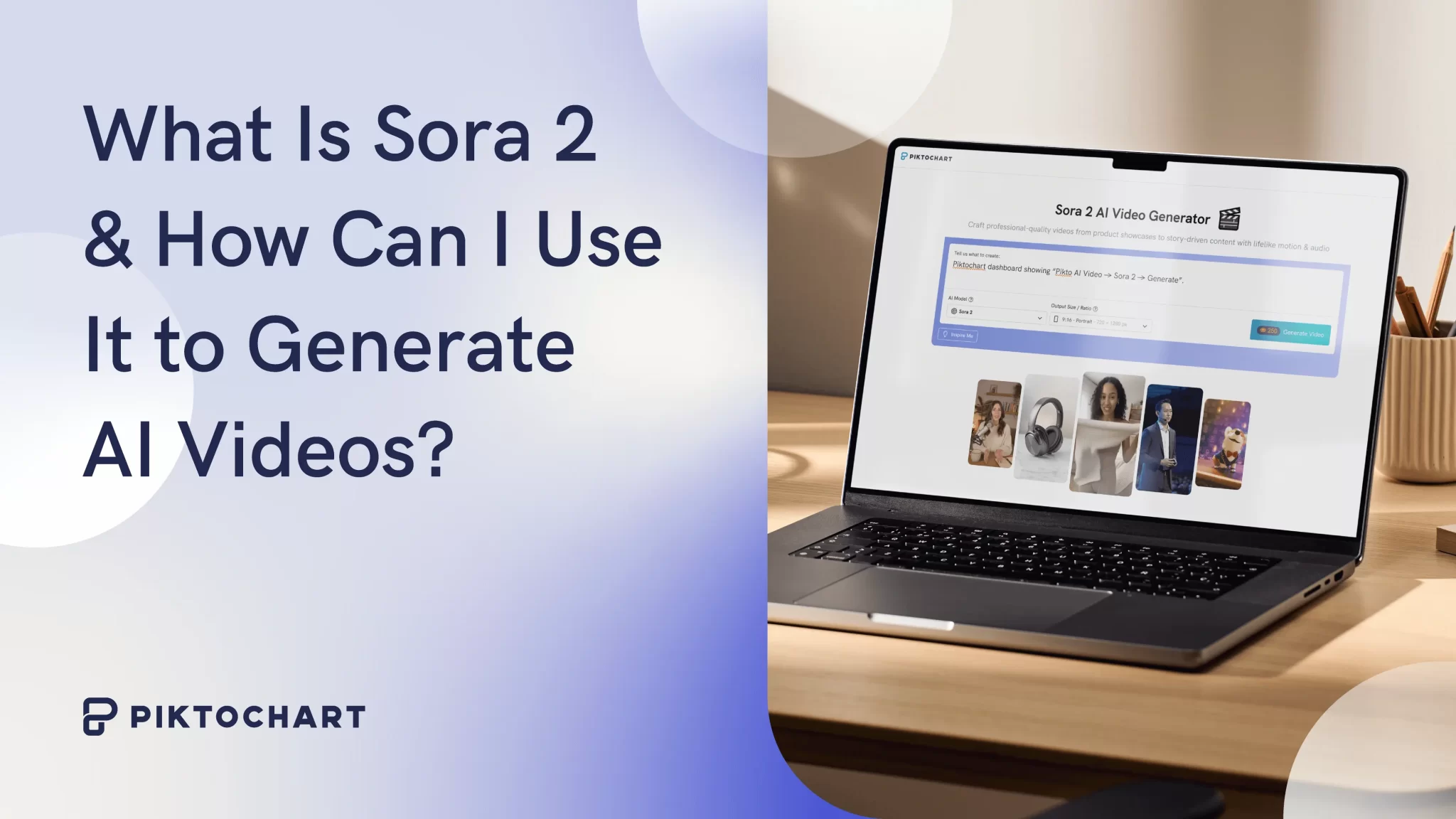
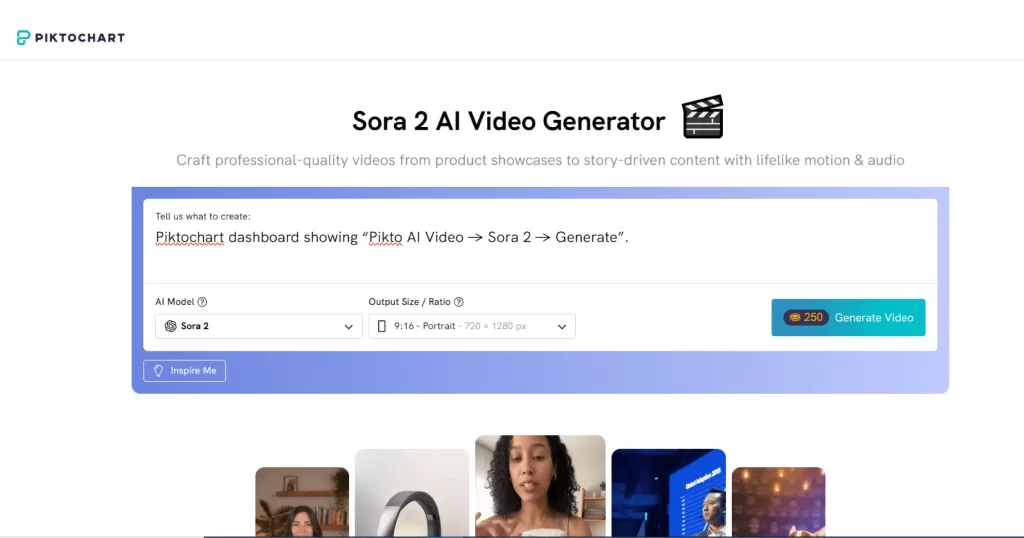
Piktochart’s AI Video Generator uses Sora 2 technology to produce 8-second clips from your text prompts. Here’s how to try it:
- Sign up/log in to Piktochart (Free, Pro, or Business plan).
- Go to Pikto AI → Video.
- Select Sora 2 as your generation model.
- Choose your output ratio, either 9:16 (portrait) or 16:9 (landscape).
- Enter your prompt and click Generate Video.
Each clip consumes 250 AI credits, which you can top up anytime if you run out. You can combine Sora 2 videos with your Pikto AI infographics, visuals, and slides to create dynamic marketing campaigns, social videos, or educational explainers, all in one platform.
Ready to create your first AI video?
With Sora 2, AI-generated video has gone from science fiction “future-maybe” to “functional-now”.
And with Pikto AI’s integration, you don’t need to wait for an invite or app rollout to join the revolution.
? Start with Piktochart today, explore AI credits, and create your first Sora 2-powered video in minutes.
Try Pikto AI video →