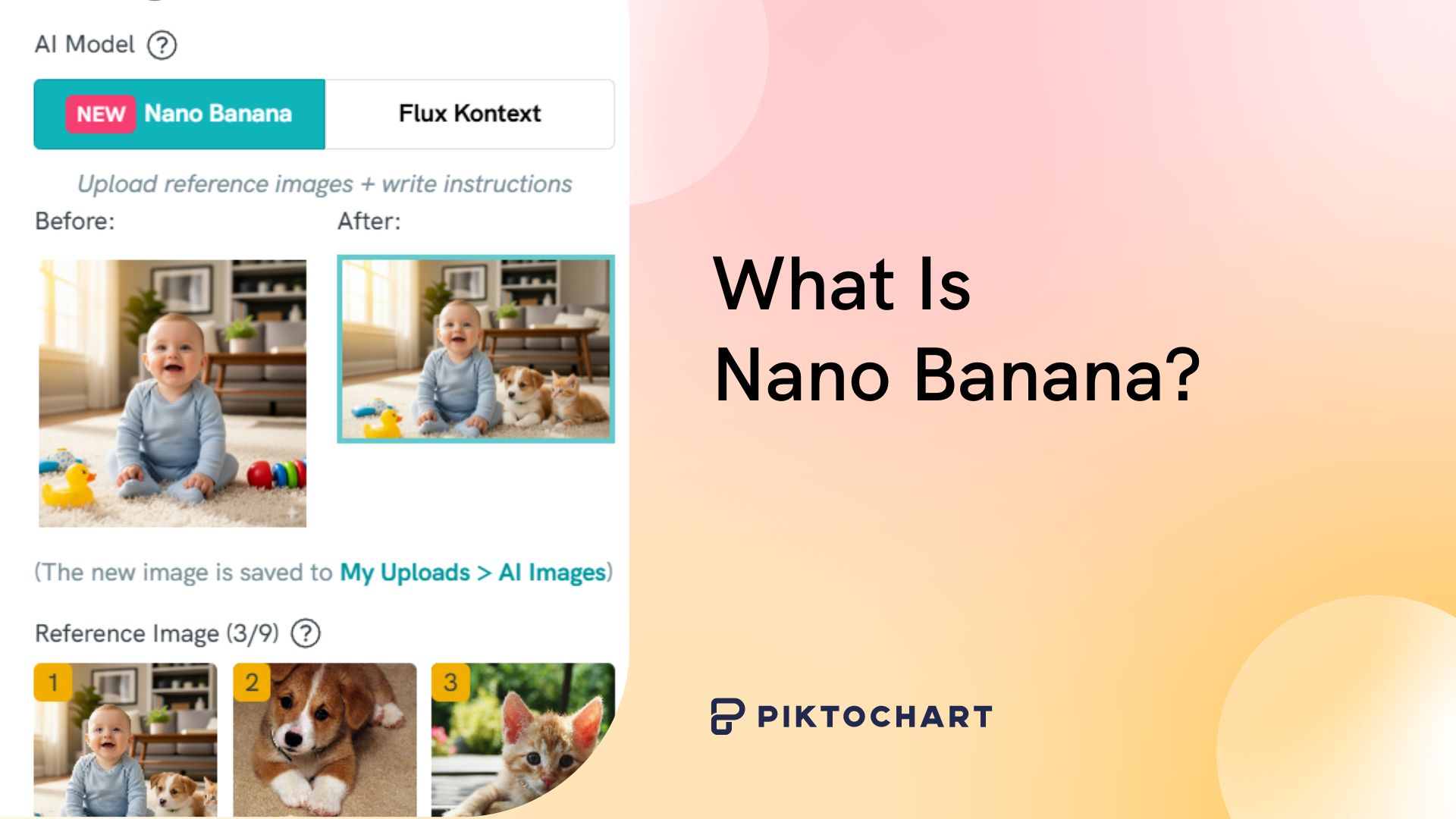
Nano Banana is Google’s AI image editor built on the Gemini Flash family. It lets you transform photos with plain-language prompts; no design skills required, no complex software to learn.
Since its quiet debut on LM Arena in 2025, the tool has collected over 2.5 million upvotes and spawned two newer variants: Nano Banana 2 (built for speed) and Nano Banana Pro (built for precision). Google has continued to ship upgrades, and the model now powers image editing across Gemini, Google Search, and third-party platforms like Pikto AI.
For a related read, see our guide on pikto ai vs chatgpt.
So what can it do, and why does it matter for visual communicators? This guide breaks down every Nano Banana model, walks through access options, and shares practical prompting tips so you can start editing images in seconds.
The AI Tool: Google’s Game-Changing Image Editor
Appearing on LM Arena in silence, the AI image editor quickly made waves, gathering over 2.5 million upvotes in just two weeks.
Google’s latest AI breakthrough model represents a fundamental shift in image editing. Instead of learning complex software interfaces and adjusting LLM settings like temperatures, P-values, and top-K, you just need to describe what changes you want in simple prompts. The AI interprets these instructions and applies sophisticated edits automatically.
Key Features That Set Nano Banana Apart
Intuitive Object Manipulation


User prompt: Give the Corgi a cowboy hat and jacket
Users have found lots of unique and diverse uses cases for Gemini 2.5 Flash. For example, you can add, remove, or modify objects with remarkable precision. Type “add a golden retriever sitting on the grass” and watch the AI seamlessly integrate a realistic dog into your photo. Change clothing colors, swap hairstyles, or remove unwanted elements with single sentences.
The model understands context exceptionally well. It considers lighting, shadows, and perspective when making changes, ensuring edits look natural rather than obviously artificial.
Advanced Texture and Style Editing
Nano Banana excels at material transformations. Convert a brick wall to marble, change wood flooring to tile, or transform a sunny day into a moody sunset. The AI analyzes surface properties and applies realistic textures that match the original image’s lighting conditions.
Style transfers happen instantly. Apply artistic filters, change photographic styles, or blend multiple aesthetic approaches within a single image. The results maintain photorealistic quality while achieving dramatic visual changes.
Generative Expansion and Inpainting
The model can extend image boundaries intelligently. Expand a cramped photo to show more background, or fill in missing portions of damaged images. Nano Banana analyzes existing visual patterns and generates seamless extensions that feel naturally part of the original composition.
Inpainting capabilities remove objects cleanly without leaving obvious gaps. The AI reconstructs background details, maintaining consistent lighting and texture patterns across the edited areas.
Is Nano Banana the new Photoshop?
Not quite. Nano Banana isn’t replacing Photoshop, but it is leveling the playing field for image editing.
Professional designers will still need Photoshop’s granular control for commercial work. But for everyday users, small businesses, and content creators, Nano Banana opens up a whole new world of possibilities for visual asset creation.
The tool really shines in making fast changes to existing images. You can test multiple design ideas and styles quickly with simple prompts. Imagine making client-requested changes just before a presentation!
How to Access Google’s Nano Banana
Getting started requires just a few steps:

- Visit gemini.google.com in your web browser
- Select the “Gemini 2.5 Flash” model from the dropdown menu
- Upload your image using the attachment button
- Type your editing request in plain English
- Review the results and refine with follow-up prompts
The tool is currently free through Google’s Gemini interface. Power users can access more advanced features through Google AI Studio, which offers additional customization options and batch processing capabilities.
All editing happens in your browser, with results appearing within seconds of submitting prompts. You don’t need to download or install any software.
You can also access it through your Pikto AI subscription –
Nano Banana 2 vs Nano Banana Pro: Which Model Should You Use?
Google now offers three distinct Nano Banana models, each designed for different workflows. Choosing the right one depends on whether you prioritize speed, precision, or a balance of both.
Nano Banana (Original)
The original model runs on Gemini 2.5 Flash. It handles everyday image edits: object swaps, background changes, style shifts, and inpainting. Processing is fast, and the results are strong enough for social media posts, blog graphics, and quick mockups. If your editing needs are straightforward, this version delivers reliable output without delay.
Nano Banana 2
Released in early 2026, Nano Banana 2 merges the advanced reasoning of Nano Banana Pro with the speed of Gemini Flash. The outcome is a model capable of handling complicated multi-step edits without the wait times associated with Pro. It maintains character consistency across sequential edits, meaning faces, body proportions, and clothing details remain stable when you make follow-up changes to the same image.
Nano Banana 2 excels at scene preservation. When you ask it to swap a background, the foreground subjects keep their original shadows, reflections, and color temperature. This is where earlier AI editors typically fell apart.
Nano Banana Pro
Nano Banana Pro is built on Gemini 3 Pro and prioritizes output fidelity over speed. It generates images with legible text in multiple languages, produces photorealistic textures at up to 4K resolution, and handles complex compositions involving multiple characters or layered objects. Commercial photographers and design teams who need pixel-level accuracy will find Pro the most capable option.
The tradeoff is processing time. Pro takes longer per edit than Nano Banana 2, making it better suited for final deliverables than rapid iteration.
Which model fits your workflow?
For quick social graphics and day-to-day content creation, start with Nano Banana 2. For high-stakes visuals where resolution and text accuracy matter, switch to Pro. The original model remains a solid option for simple, fast edits.
You can access Nano Banana 2 through Pikto AI’s AI Image Modifier at no added cost to your subscription.
Sign up to Pikto AI for free
Try Nano Banana for yourself today!Why This Model Is Making Such An Impact
Nano Banana represents the first truly intuitive AI image editor that matches human creative intent with technical execution. Previous AI tools required users to learn specific prompt engineering techniques or understand technical parameters.
This model bridges the gap between imagination and creation. Users focus on describing their vision rather than figuring out how to achieve it technically. The AI handles complex tasks like maintaining consistent lighting, matching perspective, and preserving image quality automatically.
The speed factor cannot be overstated. Edits that would take hours in traditional software happen in seconds. This acceleration enables entirely new creative workflows, from rapid prototyping to real-time collaborative editing.
The Broader Impact on Creative Work
Nano Banana means non-designers can quickly create interesting visual designs by mashing together all sorts of images for unique combinations. No need to lock layers or play with color gradients; Gemini takes care of that for you.
This means anyone can hop on the latest graphic design trends. It also raises questions about image authenticity and digital literacy. As AI-edited images are becoming increasingly harder to distinguish from originals, we need to agree on frameworks to verify visual information.
What’s Next for AI Image Editing
Nano Banana is just the beginning. Google’s success will likely inspire rapid development from competitors, leading to even more sophisticated editing capabilities.
For now, Nano Banana offers a forecast where technical barriers aren’t the bottleneck for creativity. Whether you’re editing photos for business presentations or creating content for social media, this tool makes professional-quality results accessible to everyone.
And it’s available to use in Pikto AI. Why not try it for yourself today?