This summer, I launched a STEAM club to offer science classes to local students.
I’m also working as a freelance writer, homeschooling my 5-year-old, and just trying to stay afloat in the chaos of having three little kids. I don’t have a lot of time to dedicate to social media marketing, but I know its power— so I decided to carve out a day to batch all my content at once.
I’ll share how I do social media content batching, turning what used to take days to make into just a few hours.
Social media content batching is more than just scheduling
Ever wondered how brands and content creators seem to churn out months (years, even!) of content without fail?
The secret is content batching.
Content batching is a productivity method where you create all of your social media content for a specific period in one dedicated session.
It’s a little bit like meal prepping for your social media. When you meal prep, you don’t just fix the lunch you’re about to eat. You plan the entire week’s menu, shop for ingredients, cook multiple meals at once, and safely store everything until it’s time to eat.
Content batching works the same way. Instead of scrambling every day to come up with something to post, you can plan themes and topics in advance, collect all of the resources you’ll need (like photos and videos), create several posts in one session, and then schedule those posts to publish automatically.
Whether you knock all of this out in a single day or group similar tasks together in separate chunks, this approach to the content creation process helps you stay in your creative flow state and ultimately boosts your productivity. It also ensures your content is more intentional, consistent, and aligned with your larger goals, instead of just whatever comes to mind that day.
5 game-changing benefits of batching content
Here’s what happened when I batched my content for a month– and what can happen for you too.
1. Posting becomes more consistent
Instead of posting when I had time or felt inspired, I had a regular schedule that kept my posting consistent. No more social media feast or famine on my feed.
2. You get into a creative flow
Research suggests that it takes an average of 23 minutes to refocus when you switch between tasks. By forcing myself to remain on a single task and see it to completion, I was actually able to get into the zone and get inspired.
3. Your content is more balanced
Before this experiment, most of my posts were focused on my classes, either promoting a new class I had scheduled or sharing a recap of a class I taught that day. Batching an entire month’s posts helped me ensure I was posting a mixture of content on my social media feed.
4. There’s more time for engagement
Having my posts created and scheduled didn’t mean I swore off social media for the following month. Instead, I had more time to engage with followers, share posts from other community resources, and follow like-minded pages.
5. You save time in the long run
Yes, batching your content in one dedicated day takes longer than creating a single post on the fly. But when you add up the time it takes to make posts one by one throughout the month, it actually costs you more than a single batching session.
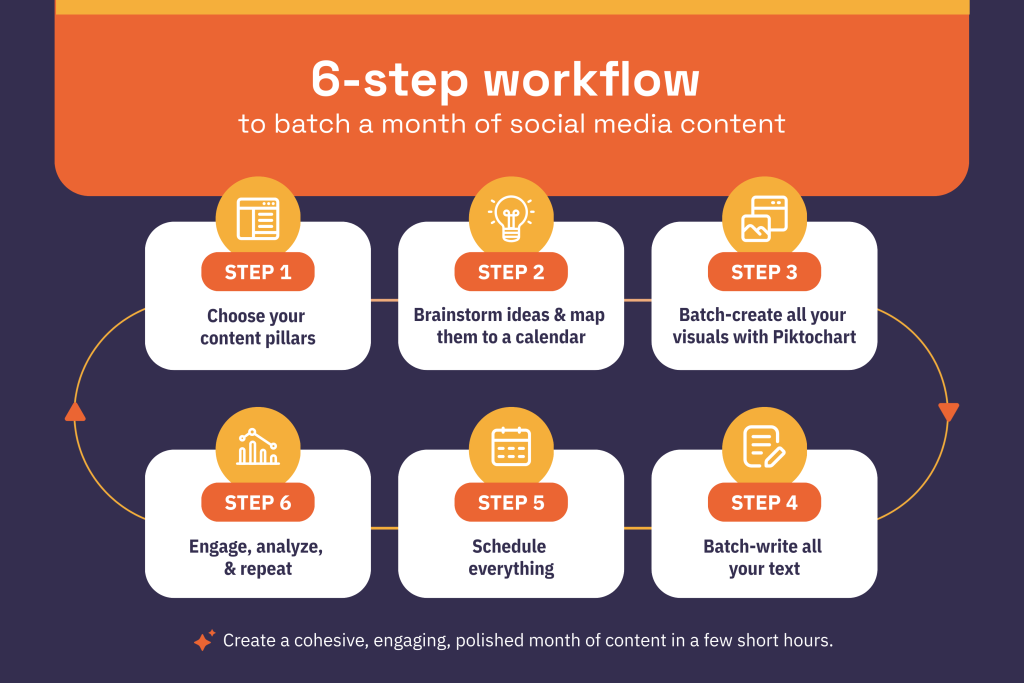
My 6-step workflow to batch a month of social media content
Up until now, I was clumsily piecing together a few scattered and unrelated posts once or twice a week. Now, I have a clear system in place to help me create a cohesive, engaging, polished month of content in a few short hours.
Let’s walk through the exact process I used so you can steal it for your own workflow.
Step 1: Choose your content pillars
I started by asking ChatGPT to help me brainstorm some content pillars specifically for a business that offers science classes, and this is the list I was given—
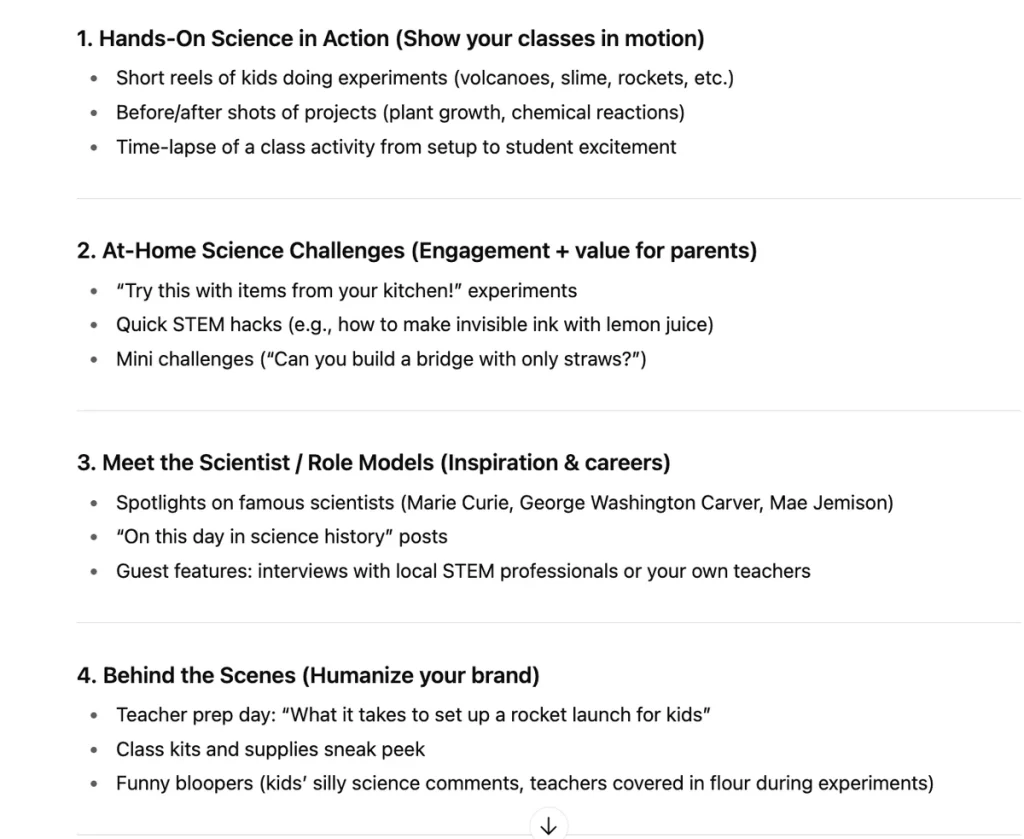
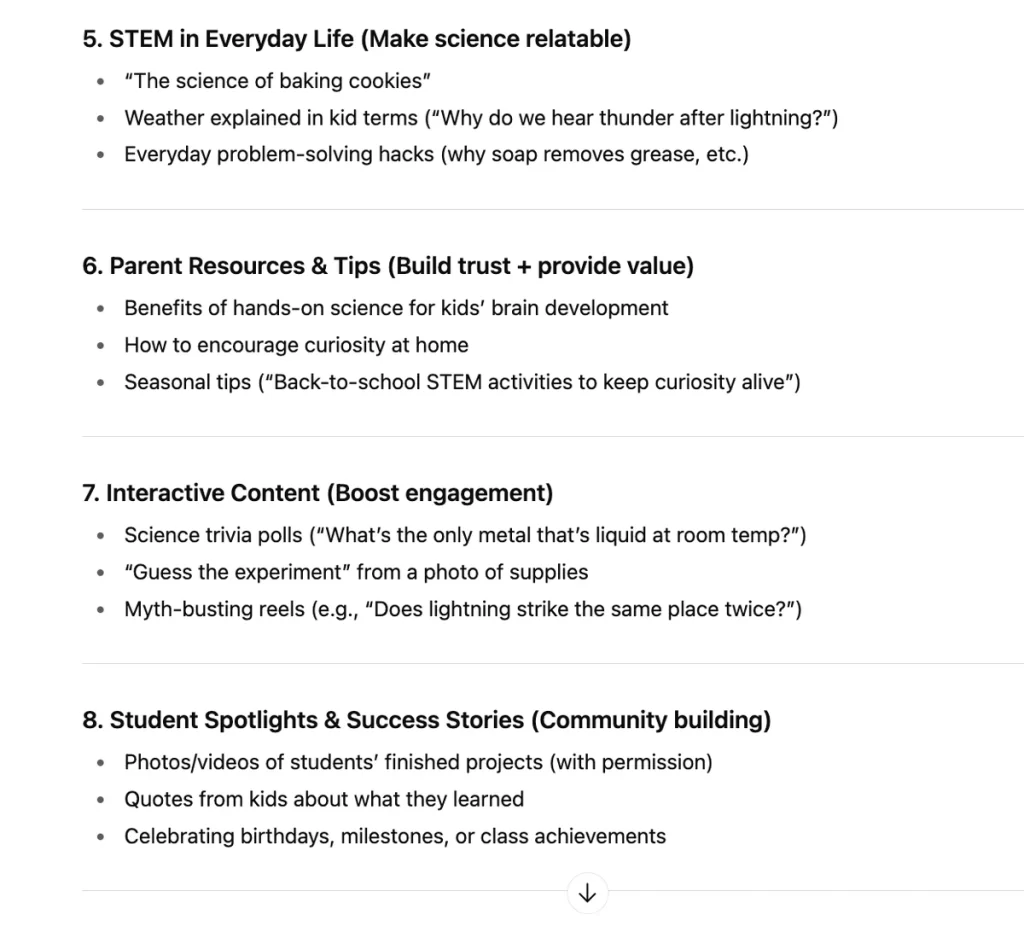
In addition, I knew there were some topics I wanted to include based on the focus of my classes. Ultimately, I chose these pillars:
- Class focus: class prep, sneak peeks, class recaps
- Science experiments at home: family engineering activities, observation activities, curiosity prompts
- Childhood literacy: book suggestions, audiobook promotion, reading tip carousels
- Power of movement: fine motor activities, reading while active, combining movement with counting/patterns
- Art/crafting: science + art activities, art with everyday objects, fine motor crafts
Pro tip: Actually narrowing down my pillars and deciding what kind of content would go with each pillar took longer than I expected, but I didn’t mind because I only have to do it once. Once you have your pillars in place, you can use them again and again, so be open to the extra time investment.
Step 2: Brainstorm ideas and map them to a calendar
This is where I made an exhaustive list of potential topics for the month of September.
Again, I asked ChatGPT to help me brainstorm ideas, simply by inputting my content pillars and asking for fall-themed suggestions, and here’s a sample of what it came up with.

In addition, I also like to browse the comprehensive holiday lists like this one from the Today Show. Many of these quirky celebrations are a great jumping-off point for post topics.
To stay organized and keep all my ideas in one location, I created a board for content ideas in Trello and began adding cards to a list for September. Here’s a snapshot of the ideas I came up with—
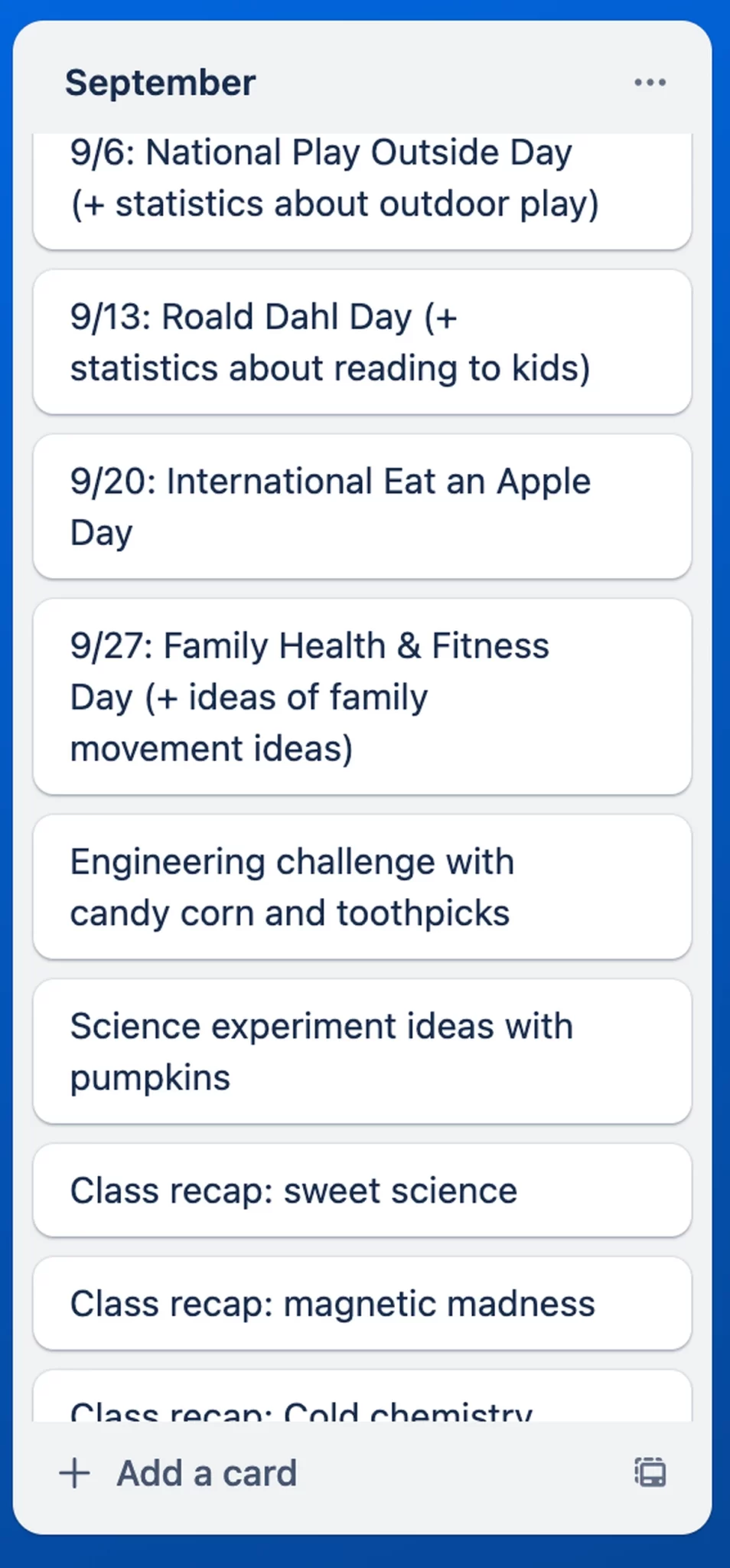
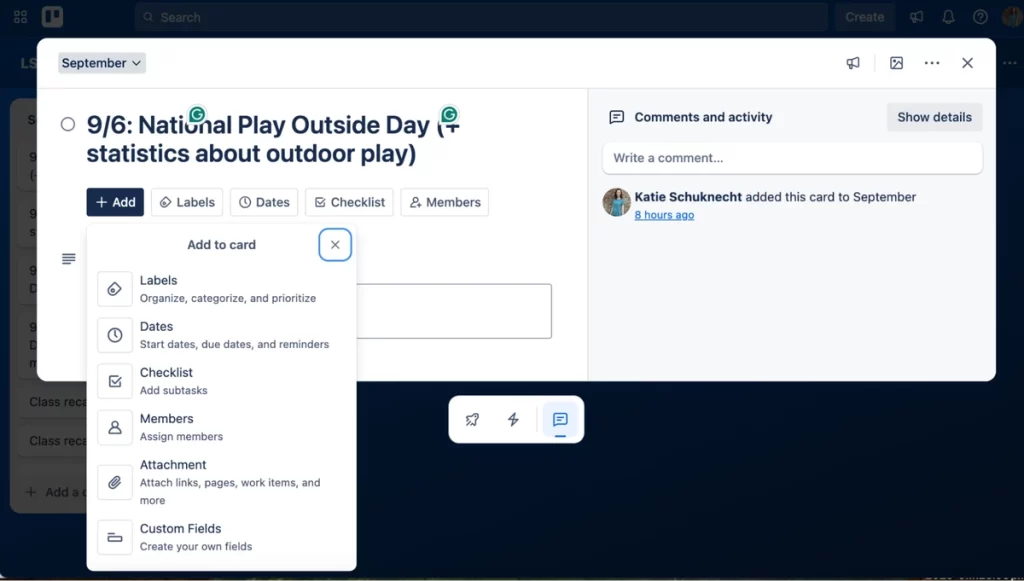
Trello cards are highly customizable, so if you want, you could use each card to store your post image, caption, and all other relevant information.
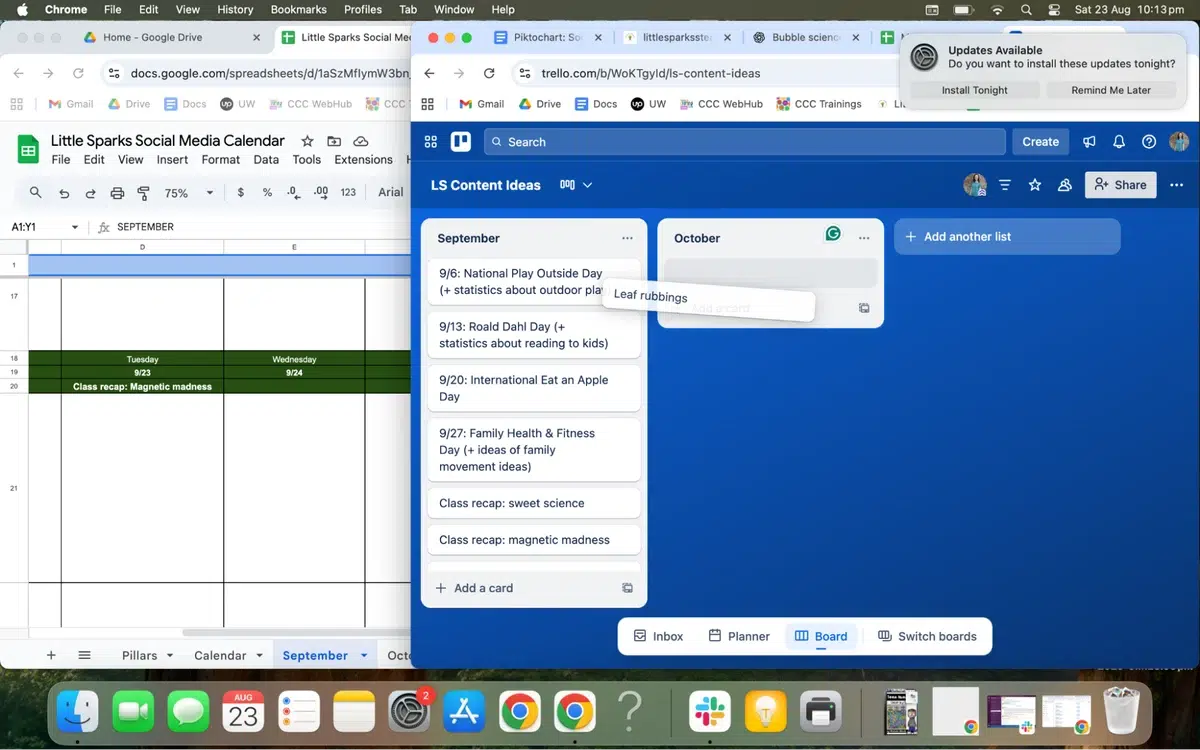
I also appreciate the convenience of being able to drag cards from one column to another. This allows you to brain-dump all of your ideas at once and move extra ideas to future months.
However, I wanted to see my content calendar in an actual calendar format, so once I had a solid list of ideas, I began mapping them to a Google Sheet I created.
This spreadsheet includes sections for the day, date, topic, caption, and image(s). Each month gets a new tab, which keeps all of my content plans in a single location.
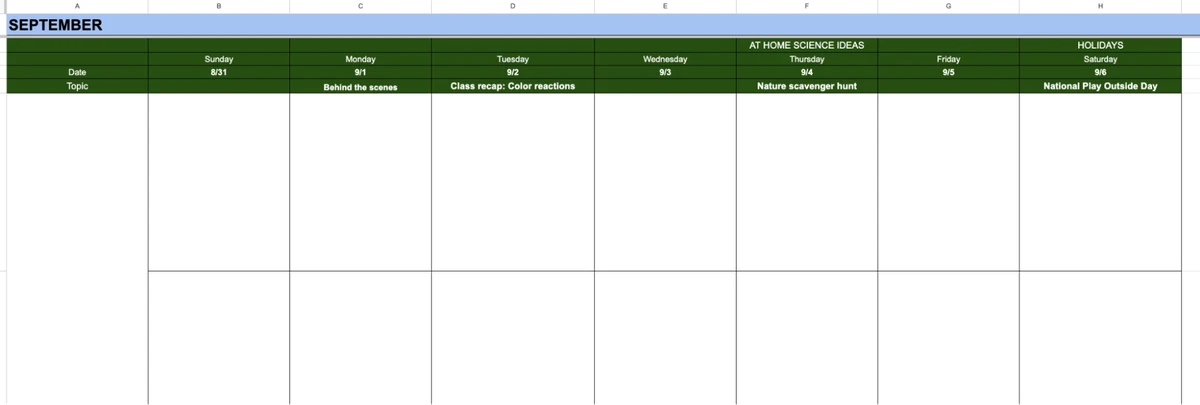
Quick tip: You can see where I’ve noted that Thursdays will be at-home science ideas and Saturdays are for holidays. This weekly rhythm takes up less space in my brain and provides consistency in my content.
Strategize your mix with the 70/20/10 principle
The 70/20/10 rule is a guideline that helps you balance your posts so you’re not just selling, but also building trust and establishing your credibility. It suggests that your content follows a mix of:
- 70% educational content
- 20% personality-focused content
- 10% promotional content
You always want to establish a personal brand, but this doesn’t mean your posts need to come across as over the top in some way. In my personality-focused content, I chose to share more about my teaching philosophy and how my own kids explore STEAM topics.
You can also mix types of content in a single post. For example, when I planned a post about how to complete leaf rubbings, I demonstrated the process using photos of my daughter completing the activity.
Ultimately, the 70/20/10 principle is a recommendation, not a hard and fast rule. Use it to focus on sharing value-driven content instead of constantly selling, but don’t panic if your posts aren’t in the exact ratio.
Step 3: Batch-create all your visuals with Piktochart
Here’s where things really get moving and you start to get excited. I used Piktochart to create all of my visuals for my content calendar.
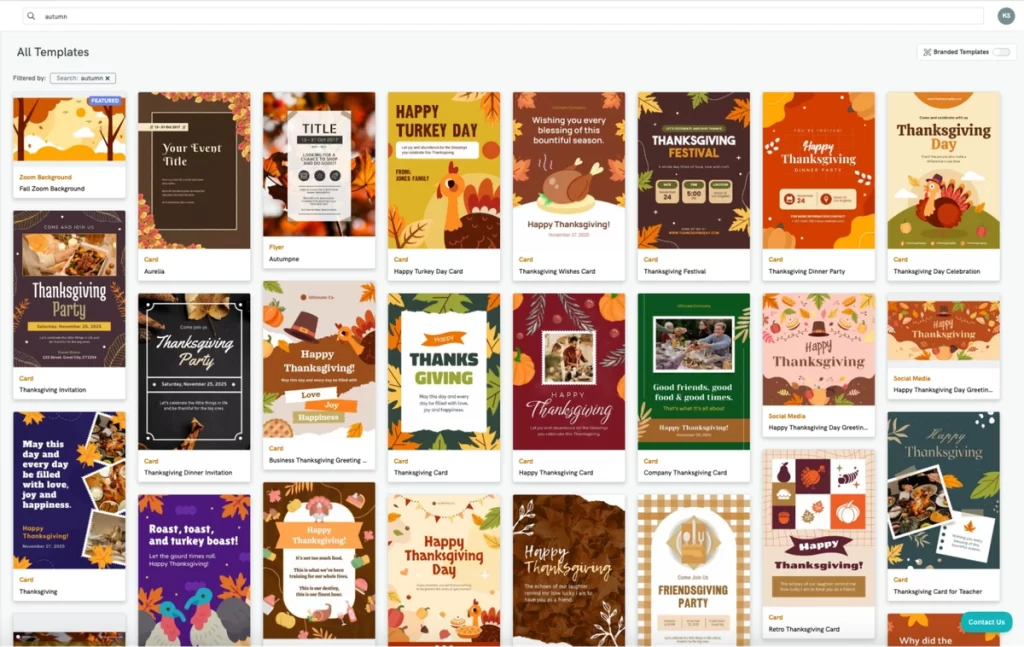
Having access to thousands of pre-made templates allowed me to design unique but professional graphics. For example, when I wanted some fall-themed graphics, I searched autumn, and found dozens of templates I could use in my posts.
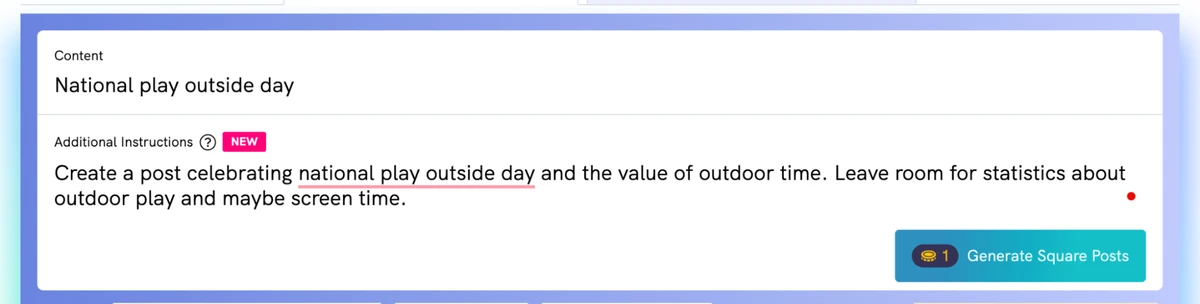
I also used Piktochart AI to create some of my posts. To see it in action, here’s a prompt I gave when creating my graphics for Play Outside Day—
I love that the AI tool gives you dozens of possibilities to use, massively widening your options without having to create a brand new design. I just took one of the AI-generated images and made some small tweaks (switching out the photo and updating the text a little), and my post was ready in 5 minutes compared to the 25+ it would take me to design my own.
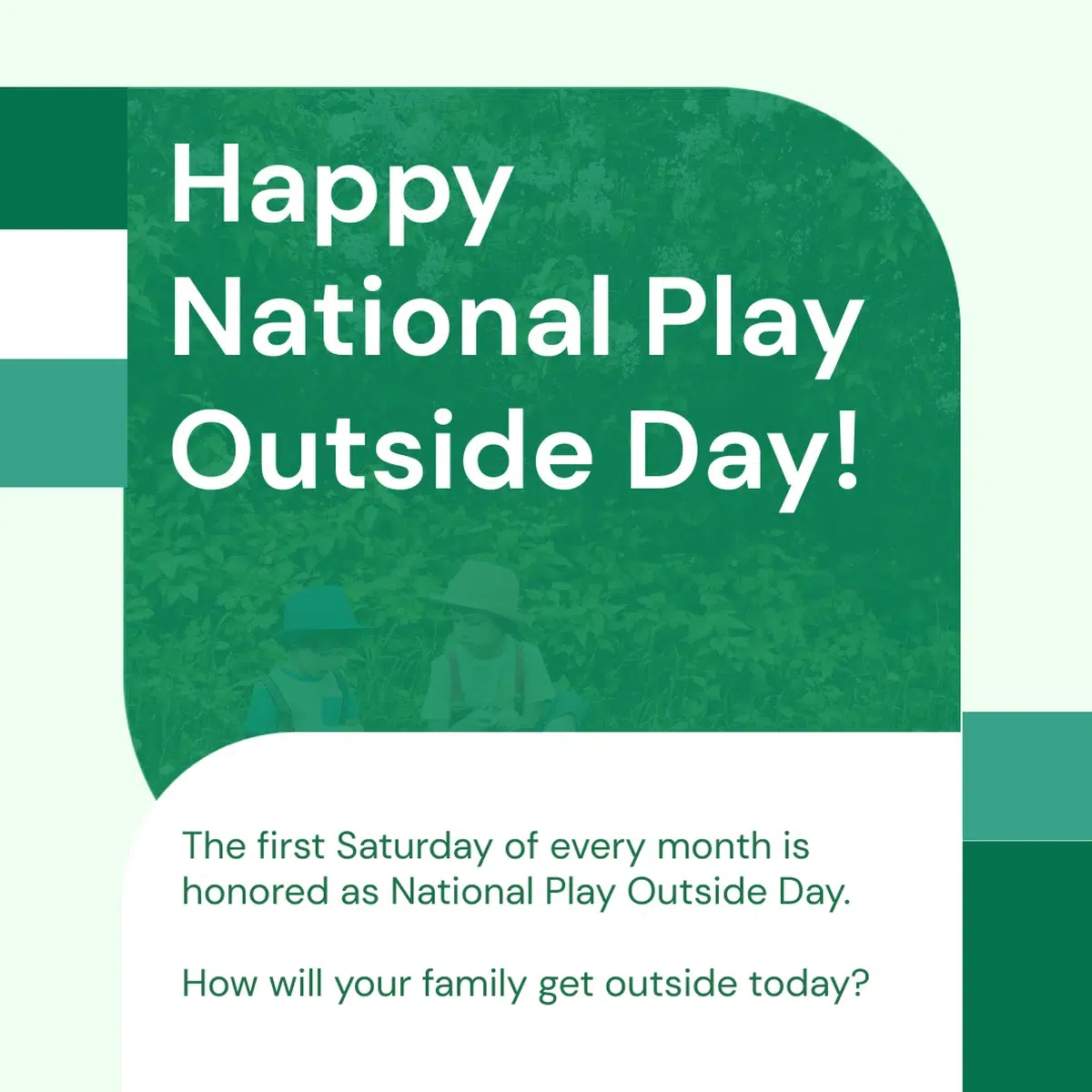
If you’re mainly on Instagram, the AI-powered Instagram post generator offers several different formats, so you can quickly create a tall post, square graphic, or carousel post. No need to change your dimensions and hope the graphic still looks proportional.
Quick tip: If this is your first time using Piktochart to create visuals for your brand, add your brand color scheme for a more cohesive look across all your graphics.
Step 4: Batch-write all your text
Once my visuals were complete, it was time to start creating text for my posts.
As a writer, this was my favorite part of the process, but for some, it can be the most daunting.
If you’d rather get a root canal than think up 15 different pieces of text, just think of it like you’re having a friendly conversation. Write your captions like you’re speaking to a potential client or customer, and let your brand personality shine through the tone and voice you use.
Along with my captions, I created hashtags to accompany my Instagram posts. I won’t lie– I’ve skimped on hashtags for too long, and there’s no doubt it’s impacted my growth. I’m excited to see how this impacts my engagement.
Quick tip: If your entire post is too wordy, you’ll lose engagement. Find balance by choosing either the image or caption to be text-heavy.
Some of the most creative social media posts use little to no text in the image itself.
Step 5: Schedule everything
Scheduling is essential if you want to consistently follow your content calendar. Even with everything prepared and mapped out, life happens, and it’s easy to forget to share your post for the day.
Because my website host is linked to my business socials, I scheduled everything through that platform. Full transparency– this took longer than I anticipated because I scheduled my Facebook and Instagram posts separately to include hashtags on IG– but it was still worth the effort.
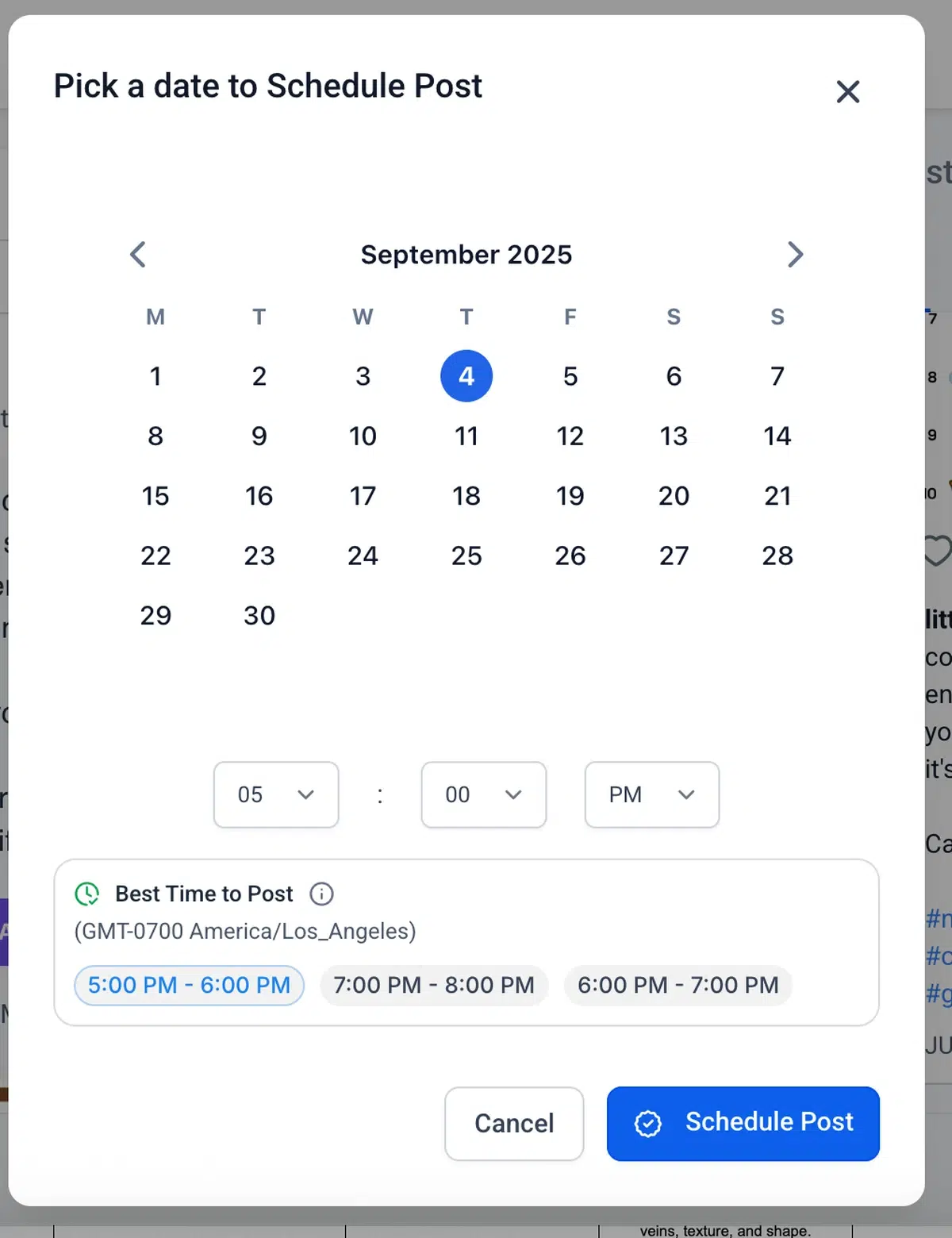
Quick tip: Don’t just plan what day to post– do a little research on the best time as well. My scheduling platform gave a few recommendations and I gladly ran with them!
Step 6: Engage, analyze, and repeat
This process doesn’t end once your content is scheduled.
You need to know what content is working– and what falls short– so you can apply those insights to your future content batching. I’m collecting analytics on each post to understand what my audience is looking for and which posts were able to reach more than my page’s followers.
Quick tip: To monitor your analytics over the whole month, add an extra space for data within your content calendar. This helps you see which types of content perform best and look for patterns, such as which days of the week bring higher engagement.
The tools I used to create my seamless content batching system
Having the right tools simplifies and streamlines the content creation process. Here’s the complete tech stack I used to batch content.
Content planning and organization
I used Trello and Google Sheets to plan and organize my content. You could easily use just one tool for both tasks, but I liked how I could rearrange my ideas on Trello and map everything out using a Google Sheet.
Other possible tools for content planning include Notion, Google Docs, Asana, and Airtable.
Visual creation
All of my visuals were created using Piktochart. Posts were split about half and half between templates and Pikto AI. I used the new Pikto AI Studio– just supplying a short topic description provided me with some gorgeous design options to choose from.
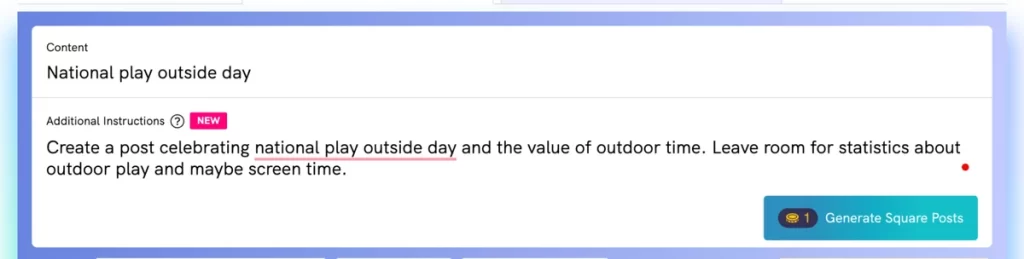
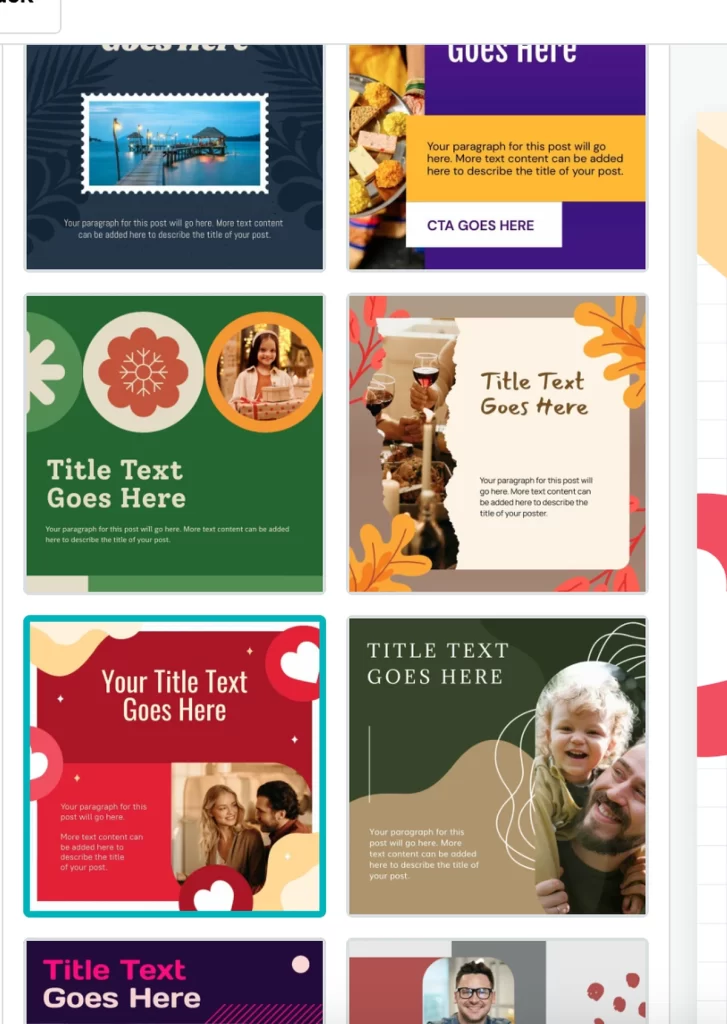
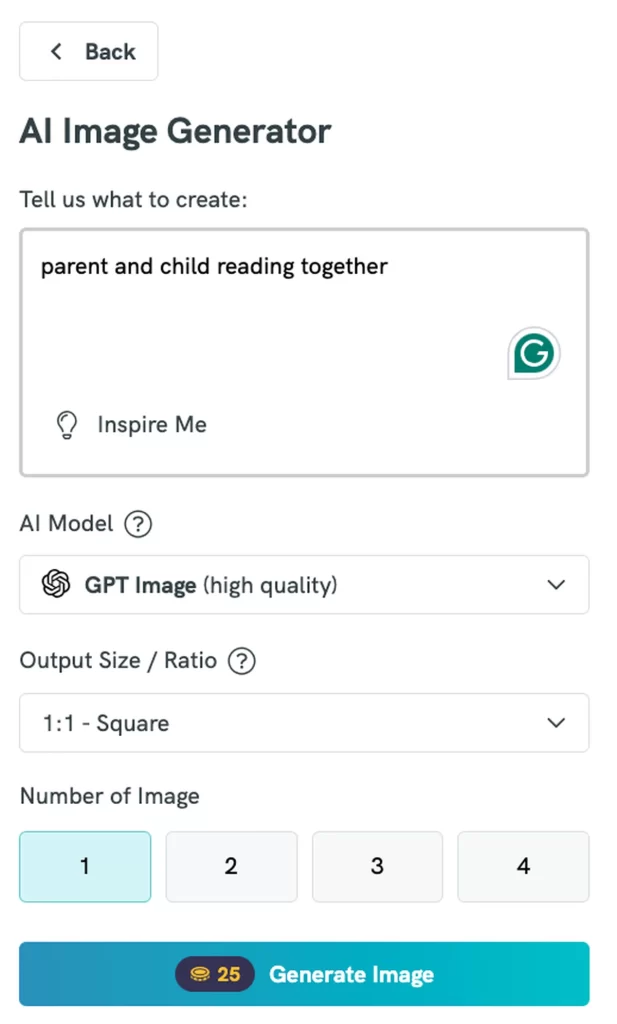
The new design studio doesn’t stop at template creation. Once I chose my design, I needed an image to accompany my post, and a quick prompt gave me exactly what I was looking for.

Scheduling
My social media is actually linked to my website host (Webhub), so I schedule my posts through the host to avoid adding another tool to my current tech stack. If your scheduling tool isn’t integrated into a platform you’re already using, you might be interested in one of these popular choices:
- Buffer
- Later
- Hootsuite
- Meta Business Suite
Hashtag research
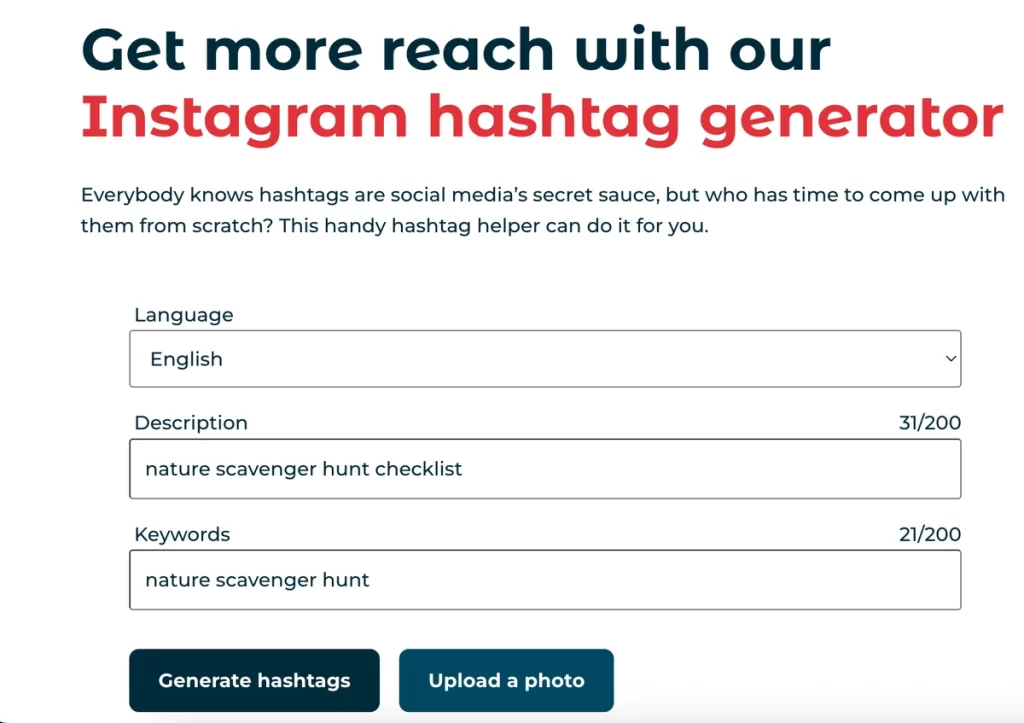
I didn’t want to pay for another tool, and I honestly didn’t even want to create yet another account, so I opted for the Hootsuite Instagram hashtag generator. GOLDEN.
All I had to do was input my keyword and a description, and Hootsuite generated 10 relevant hashtag suggestions.
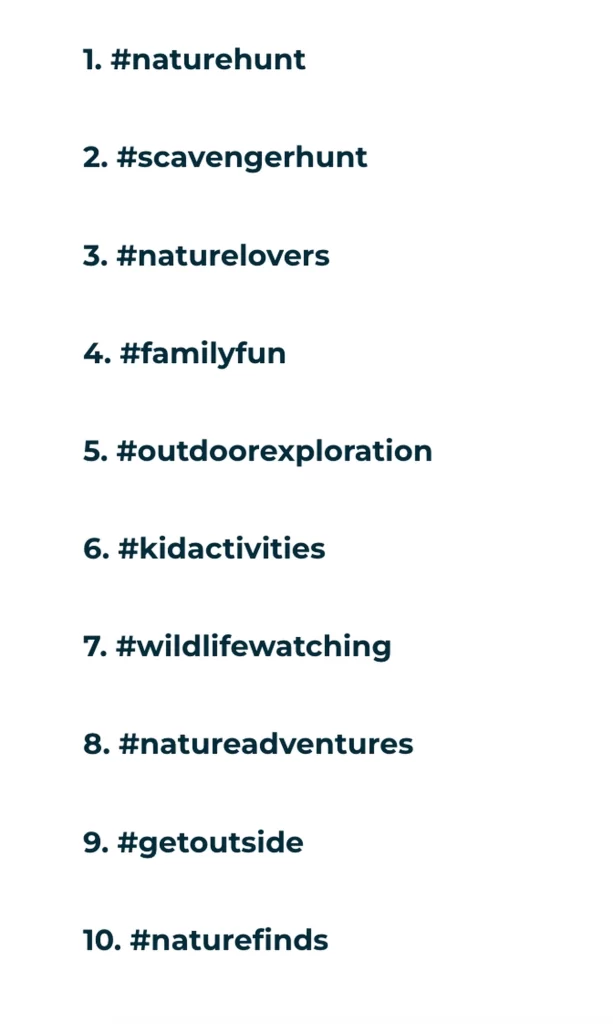
Some other possible tools for keyword research include Flick, Keywordtool.io, Hashtagify, and RiteTag.
Analytics and performance tracking
You don’t have to invest in another tool to see analytics about your posts, so I decided to forego that addition for now. Instead, I looked deeper into the analytics from each social platform.
When you create a business account on Facebook or Instagram, the platform will provide analytics about each post you share including:
- views and engagement count
- age, gender, and country of your viewers
- how people find your content
- views between followers and non-followers
What I learned (and you can take away)
The very first session of content batching for your brand isn’t going to go as smoothly as you imagined. It takes time to find your rhythm, choose and learn your tools, and learn what approach works best for you.
Like anything else, repetition in your friend. I wouldn’t be exaggerating to say that my next session will take me half as long as this first one did. Batching truly saves time in the long run, even if it feels like more work upfront.
You can start small by mapping out the next week instead of the next month. Just one productive batching session can make the rest of your month easier and help you invest in other areas of your business.
Remember, progress matters more than perfection. Each session is a chance to refine your process and feel more confident in your content creation. The first step is the hardest, but every session after that gets easier, faster, and more rewarding.
FAQ
What is the 70/20/10 rule for content?
I knew I should focus on teaching my audience more than selling to them, but I didn’t know what the balance should be until I found the 70/20/10 rule. This principle is a strategic ratio to ensure your content is balanced.
- 70% value: Helpful, share worthy posts such as tutorials, how-to guides, infographics, and motivational quotes.
- 20% personality: Posts that show who you are and help you connect with your audience. Think behind-the-scenes posts, relatable memes, and lessons learned.
- 10% promotion: The portion of content directly highlighting your offerings, including posts about a new product, client testimonials, limited-time offers, and direct calls-to-action.
It’s tempting to sell as much as possible in your content— but that’s not how you grow an audience. This ratio is how you avoid sounding overly pushy and keep your audience engaged.
How can I write social media content faster?
Don’t aim for perfection, because it’ll slow you down. Focus on forward movement.
Brain dump ideas for your content without filtering them. Write the first draft of all your captions while you’re in a flow state. You can come back to refine and edit all of your ideas later, but start by getting them out of your head.
Don’t be afraid to repurpose content. Turn a blog post into multiple captions or rewrite older content with a fresh spin. I promise no one is paying close enough attention to notice.
Finally, use AI as a starting point. You probably don’t want ChatGPT to write all of your captions for the month, but having a first draft generated saves time and helps spark creativity.
What types of content work best for batching?
Any type of evergreen content works well for batching— tips, tutorials, FAQs, get-to-know-me posts. You can also batch behind-the-scenes content if you’ll take the time to capture all of the photos and videos you need in one session (this is what most full-time content creators/influencers do).
Time-sensitive and spur-of-the-moment content doesn’t work well for batching, but these posts should still be shared when appropriate.
For example, Taylor Swift got engaged today, so my feed is flooded with posts about the engagement—and another chunk is about tomorrow’s episode of The Summer I Turned Pretty. These topics are relatable and highly engaging, so they shouldn’t be avoided just because they didn’t make it to the content calendar.
It’s all about balance, people.