Hey everyone! It’s Vinnie here with an exciting new update.
Here’s something I’ve watched happen loads of times: someone opens our AI Image Generator, types either a one-liner prompt or a wall of text, just to get a result that didn’t meet their expectations, and then quietly closes the tab.
In user testing, the team has seen replays of the same scenario and came to the same conclusion. The problem isn’t actually the AI tool, but rather the blank text box.
Most people don’t think in prompts. They think in ideas and outputs; loose, half-formed, and a grand visual that’s fluid but hasn’t taken form in concrete outlines.
“A cat in space.”
“Something moody for my blog header.”
“A team meeting but make it not boring.”
Most of us talk like this in passing when trying to describe the latest meme or the general idea in a brief to our designers. Our imaginations usually come to the rescue and fill in the gaps contextually (helped along by dozens of back-and-forth Slack messages).
But AI image generators need more than that. They want you to specify lighting, composition, style, and mood – things most people shouldn’t have to think about.
We kept seeing this in support tickets and user sessions. People had the right idea for their genAI prompts, but lacked the vocabulary to describe them in a way that gets the results they were looking for.
To be honest, they shouldn’t have to learn it. That’s our job.
So we built an AI Prompt Enhancer.
How the AI Prompt Enhancer works
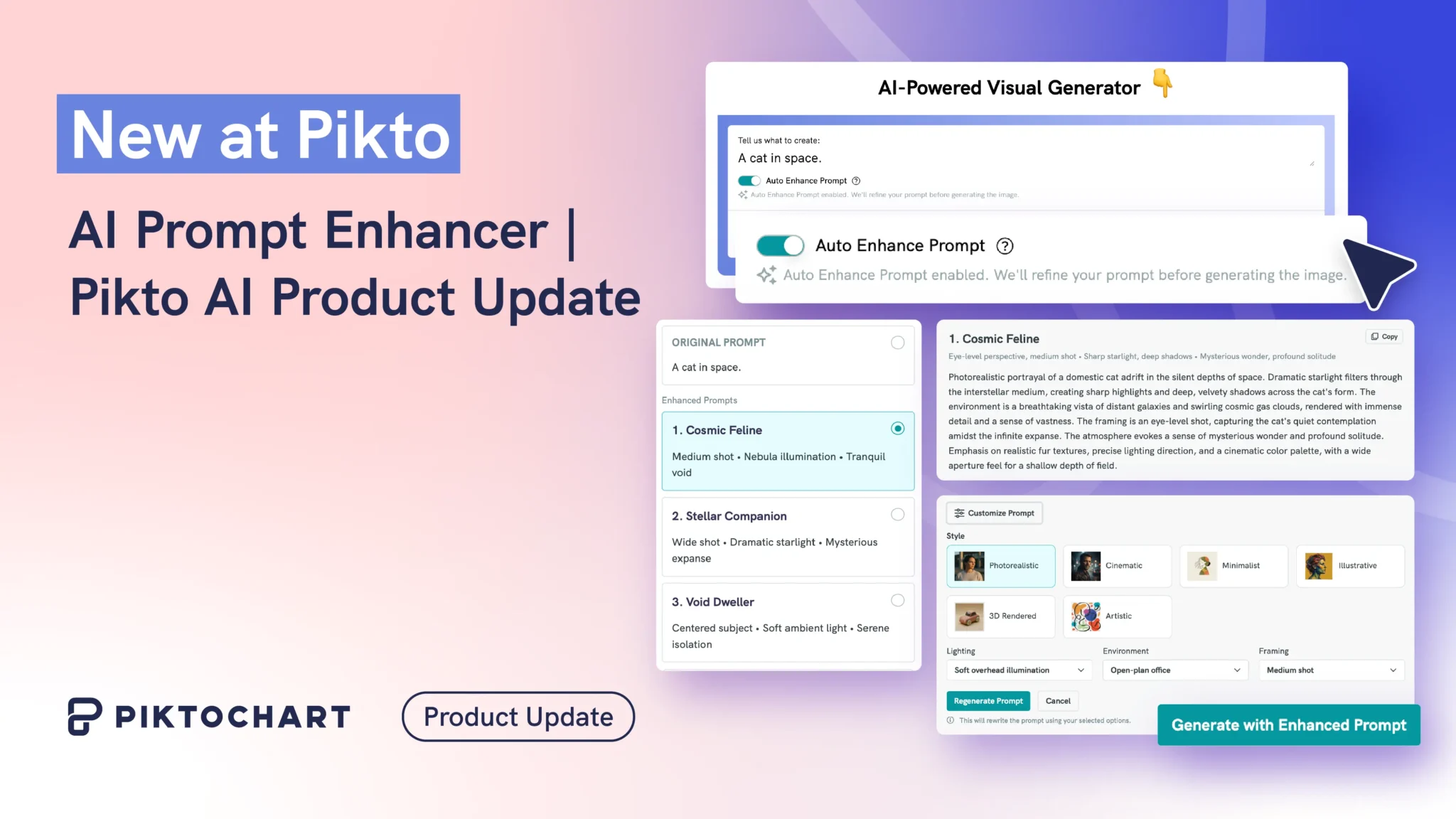
It works like this: you type your idea, even just a few words, and our AI Prompt Enhancer rewrites it into 10 detailed, optimized variations. Each one takes your original concept in a different creative direction, ranging from cinematic and illustrative to minimal and dramatic, with the composition, lighting, and style details already baked in.
All at no cost to you!
So let’s say you typed “a cat in space”, you’ll get back things like:
- A futuristic astronaut cat floating through deep space, cinematic lighting, ultra-detailed
- A cute orange cat in a space suit orbiting Earth, Pixar-style illustration
- A surreal cosmic cat made of galaxies and stars, vibrant fantasy art
Pick one that matches what you had in mind (or didn’t know you had in mind), tweak it if you want, and generate. That’s it.
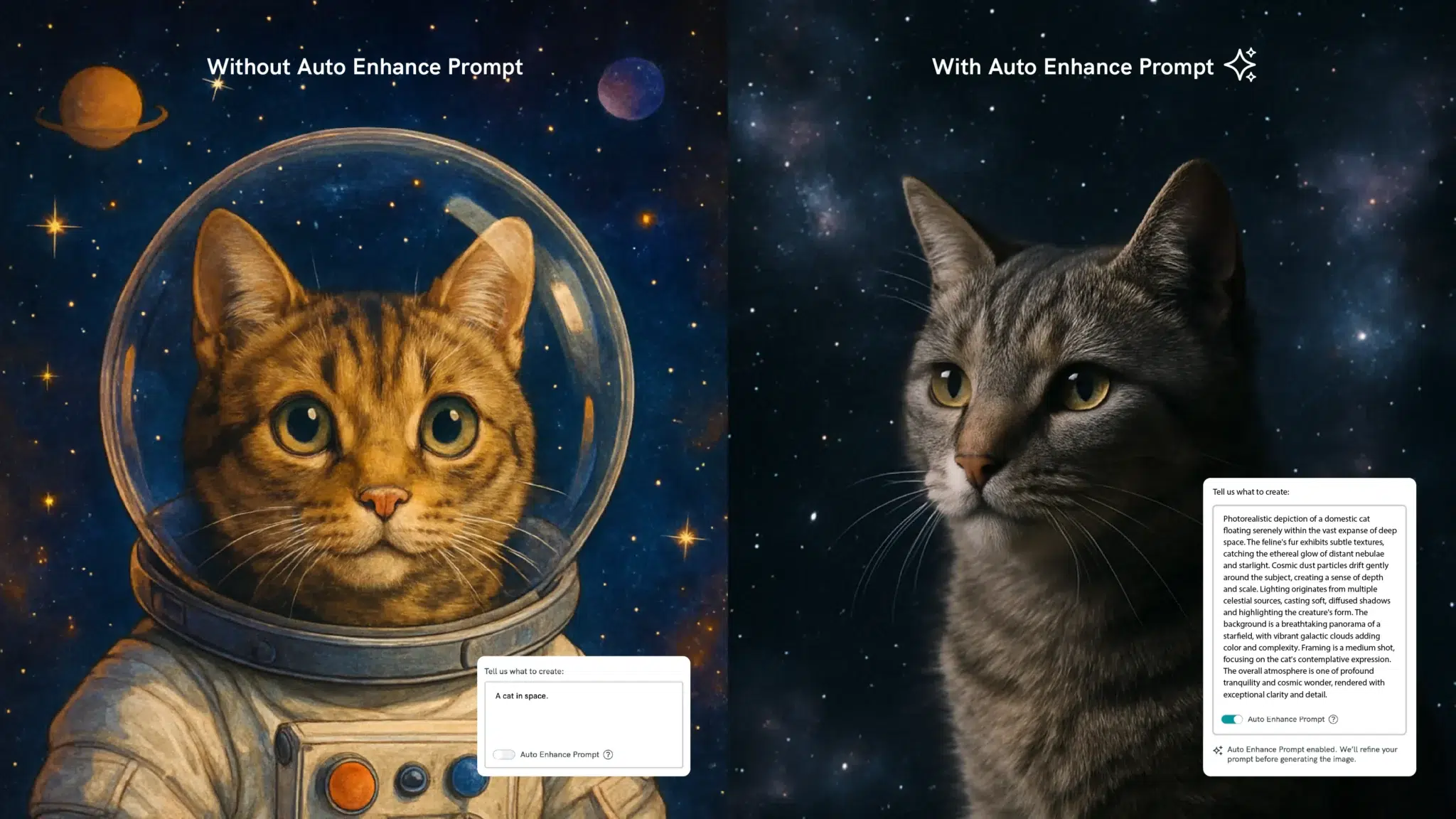
The toggle is on by default because the whole point is that you don’t have to do anything extra. If you’re someone who already writes detailed prompts and prefers full control, simply switch it off. Your original prompt goes straight through. No judgment.
Since I’ve been testing the tool, what I liked most about it is that it also teaches you what’s possible by showing 10 variations of your idea. I could see new creative directions I wouldn’t have thought to ask for. It’s less “AI doing the work for you” and more “AI showing you what you could ask for.”
What’s next for AI prompting
This is version 1.0. Currently, you pick an enhanced prompt before the image generates. We’re working on a flow where the first image generates automatically, and then you see the enhanced alternatives, so you get a result instantly and explore from there. We’ll keep iterating on this based on what you tell us.
In the meantime, give it a try! Head to the Pikto AI editor and type whatever comes to mind. The enhancer handles the rest.