We’re excited to share two powerful additions to Pikto AI Studio. These updates focus on giving you more control and creative flexibility when working with images and graphics in your visual projects.
AI Object Remover: precision editing made simple
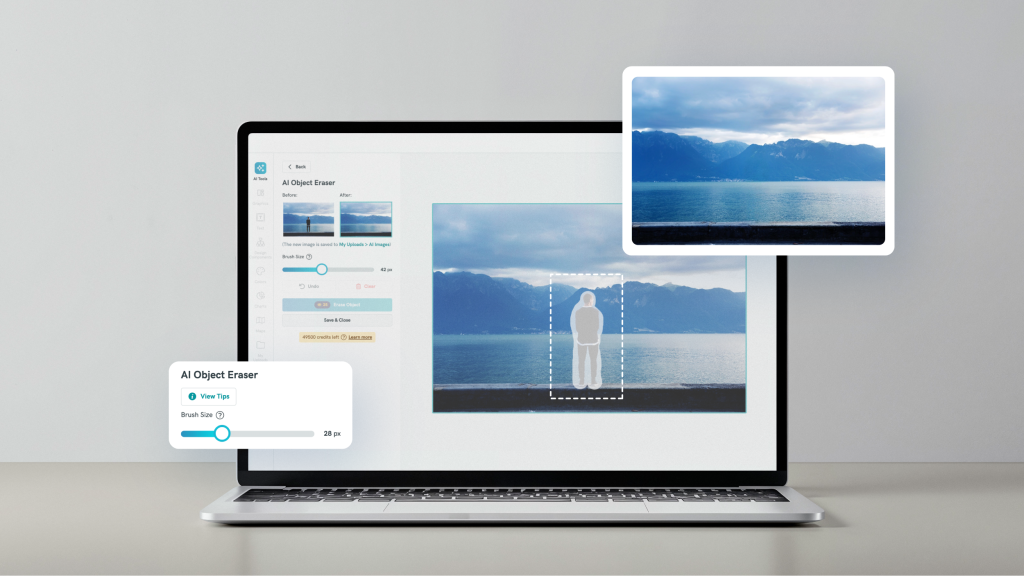
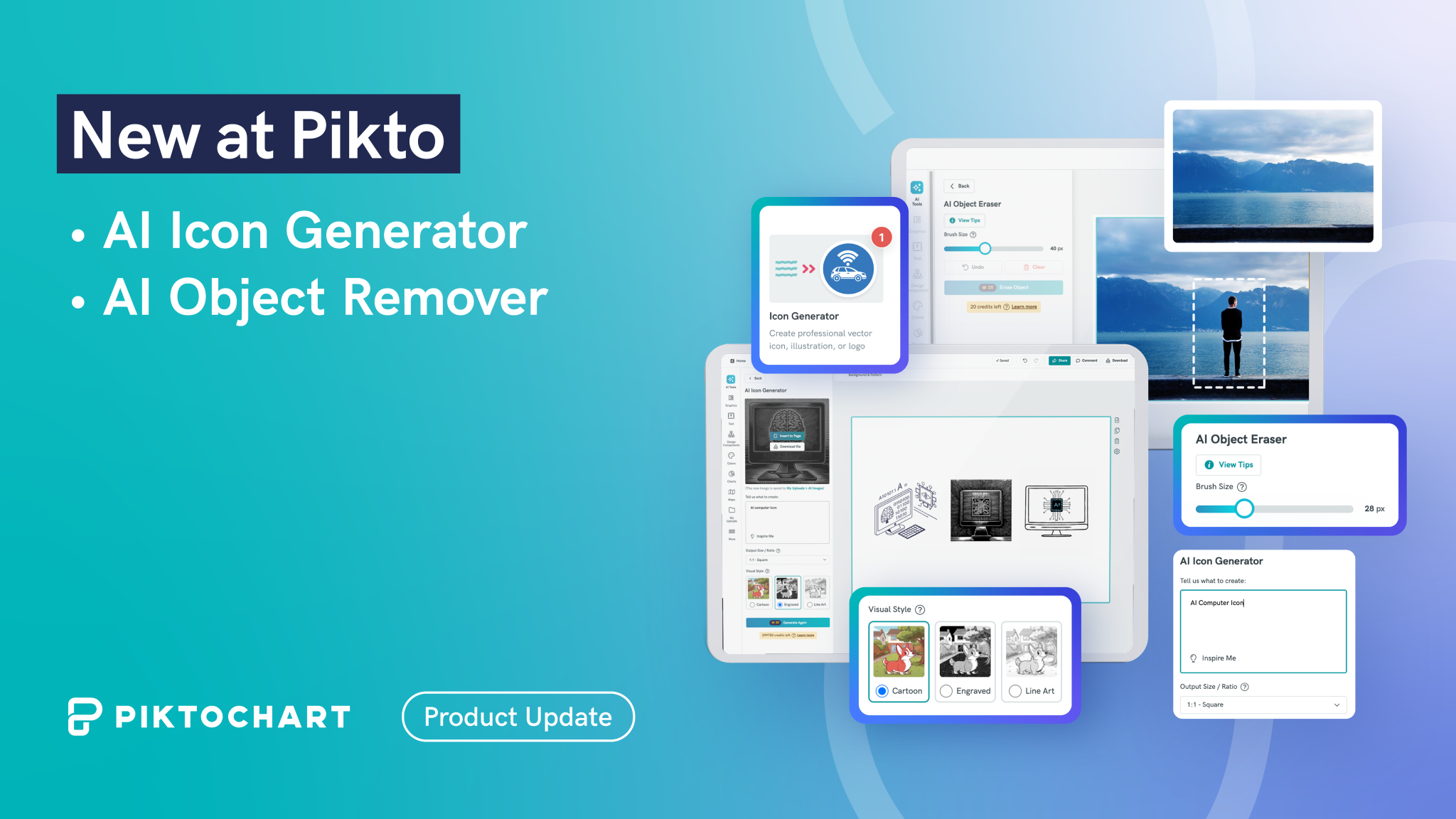
Creating the perfect visual can mean removing unwanted elements from images. Our new AI Object Remover puts granular control directly in your hands through a sophisticated brush-and-mask system.
Here’s how it works: First, use the brush tool to create a precise mask over the objects you want to remove. This brush mechanism allows you to paint over specific areas with pixel-perfect accuracy, giving you complete control over what gets erased. Once you’ve created your mask, the AI processes the removal and intelligently fills in the background, creating seamless results.
This two-step approach, brush to mask and then erase, delivers superior precision compared to text-based removal tools. Whether you need to remove background distractions from product photos, clean up presentation slides, or perfect images for marketing materials, the AI Object Eraser handles complex removals while maintaining image quality.
The AI Object Remover is particularly valuable for marketing professionals, consultants, and educators who need polished visuals but lack advanced photo editing skills or time for complex software.
AI Icon Generator: vector graphics in a flash
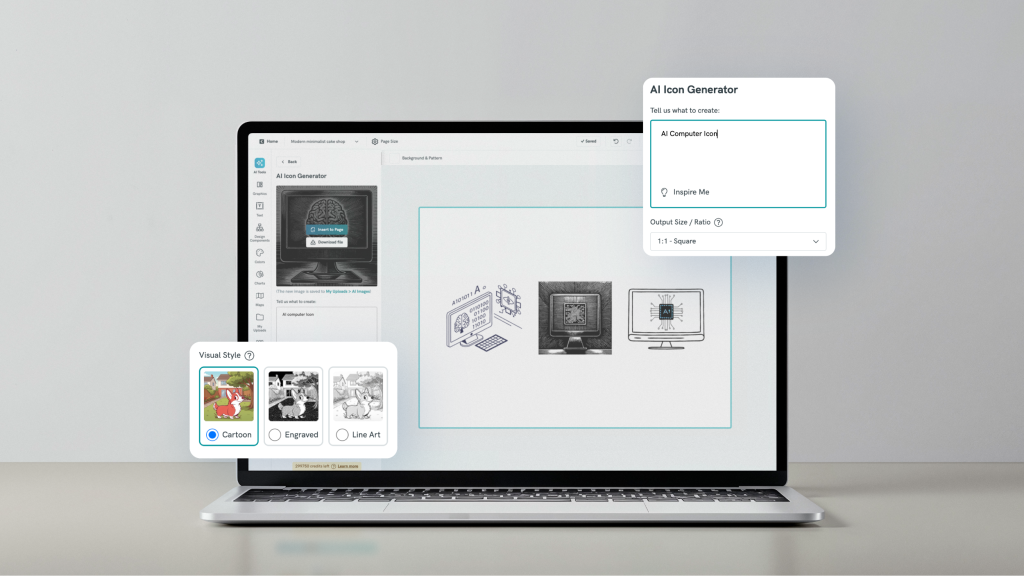
Our second major addition is the AI Icon Generator, which expands beyond traditional AI image creation to produce crisp, scalable vector graphics.
The tool follows a streamlined three-step process: start with a text-based prompt describing your desired graphic, choose from multiple built-in visual styles, and select your preferred output ratio and size. This opens up versatile use cases across different formats:
- Icons: Perfect for web and mobile app interfaces
- Illustration Graphics: Ideal for infographics and decorative elements
- Logos: Suitable for businesses, communities, and organizations
Since these are vector-based graphics, they maintain perfect clarity at any size. The visual style options are built into the AI model, providing consistent aesthetic choices without requiring design expertise.
The AI Icon Generator is designed for teams-of-one and busy professionals who need custom graphics without the complexity of traditional design software. Generate unique icons matching your brand aesthetic, create consistent visual elements across materials, or develop illustration sets for educational content.
Please note while the generated icons aren’t fully editable like traditional vector files, they provide the scalability and crisp quality your projects demand.
How Do These New Features Work?
You can access both features via Pikto AI Studio. They’ll be part of your workspace and available on all plans.
First, head to the Pikto AI editor, then select the “Image” tab.
From there, you can click on the AI image feature you want to use.
Type in your prompt, and click “Generate Visual”.
Pikto AI will handle the rest. You can edit the AI image in our editor. Generated visuals can be found in your workspace under “My Uploads”.
Streamlined Creative Workflow
Both tools integrate seamlessly into the Piktochart editor, eliminating the need to switch between multiple applications. Create your infographic, presentation, or report, then enhance it with precise image editing and custom vector graphics without leaving your workspace.
These updates continue our mission to remove friction from the creative process.
Whether you’re crafting internal communications, developing marketing materials, or creating educational content, these AI tools help you achieve professional results faster.
The AI Object Eraser and AI Icon Generator are available in the Pikto AI editor.